Introduction
Summary
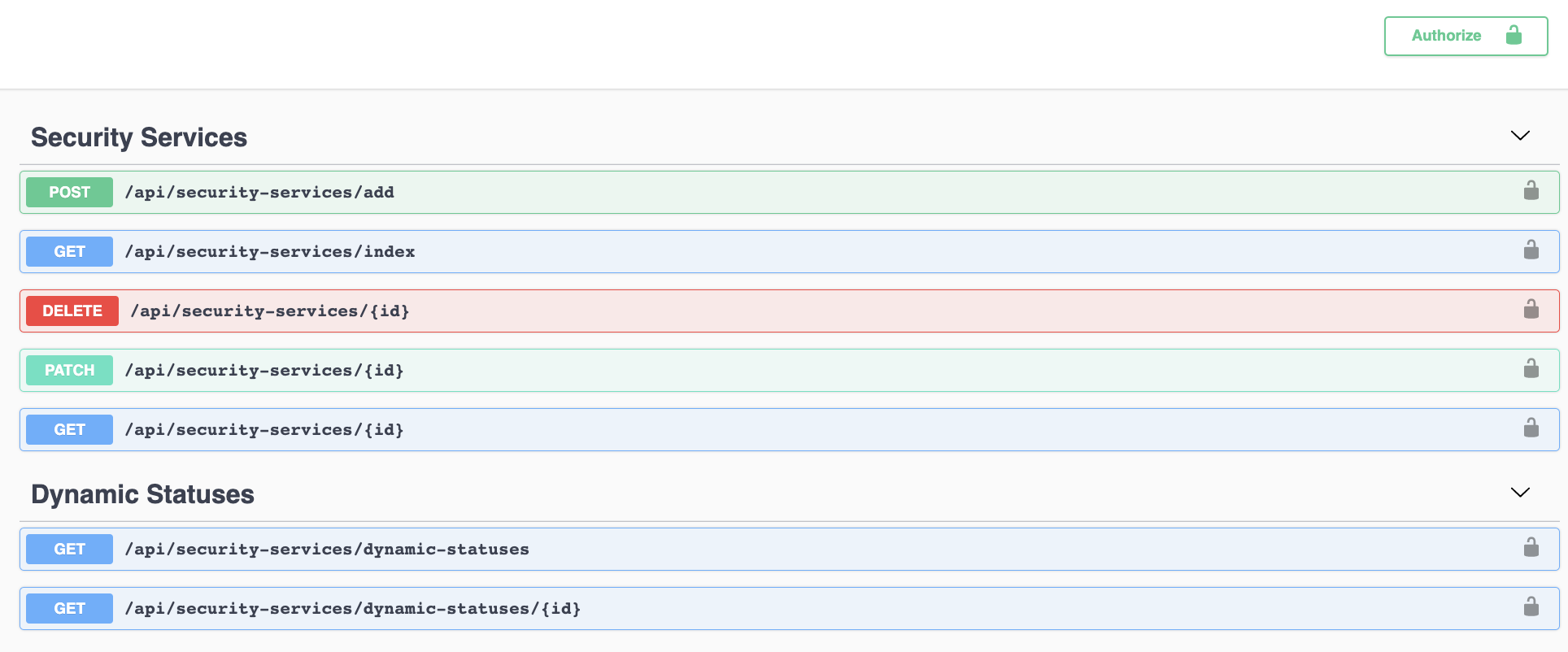
eramba offers a REST API in most modules, this means you can write your own code to work with eramba data from other systems and applications.
Using the REST API you can perform CRUD actions (create, read, update and delete) on the items of eramba sections: add, list, edit and remove Risks, Controls, Incidents, Etc.
eramba ships two REST APIs:
- New API v2: the current API, documented with Swagger (OpenAPI). It supports Bearer tokens (Personal Access Tokens) and Basic authentication, partial edits, filters and a "dry run" mode to test requests safely from the documentation itself.
- Legacy API: the original API. It is still available, and it is the only option on modules that have not been migrated to v2 yet.
The REST engine allows you to manipulate not just objects (Risks, Controls, Reviews, etc.) but also Comments & Attachments, Dynamic Statuses and Custom Fields created by you in eramba.
Typical Scenarios
REST APIs are typically used when you want to write your own code to work with eramba data, for example:
- CRUD operations from your own scripts or applications: create, list (read), edit and delete items (Risks, Controls, Incidents, etc) in any module
- Bulk creation or updates of items without using the CSV import tool
- Custom integrations built in-house between eramba and your own systems
- Reading eramba data from your own dashboards or reporting tools
- Managing Comments & Attachments and Custom Fields of items
Supported Versions
REST APIs are only available in the Enterprise edition, both on-premise and SaaS.
Theory
API Versions
Every module that supports APIs has an "API" option under the "⋮" menu at the top right of the module. On modules where both APIs exist, the option opens two entries: "Legacy API" and "New API v2". On modules where only one exists, "API" takes you straight to it.
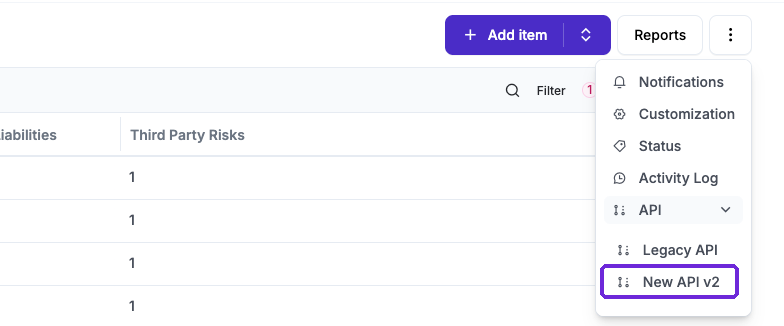
At the time of writing, the New API v2 is available in these modules (and their sub-modules, such as reviews, audits, issues or stages):
- Program: Scope, Program Issues, Goals (and Goal Audits), Team Roles
- Organization: Business Units, Processes, Liabilities, Third Parties
- Asset Management: Assets (and Asset Reviews, Classifications, Labels and Media Types), Data Flows, Support Contracts
- Control Catalog: Internal Controls (and Audits, Maintenances and Issues)
- Exceptions: Risk, Policy and Compliance Exceptions
- Security Operations: Projects (and Expenses and Achievements), Incidents (and Incident Stages), Online Assessments (and Findings and Feedbacks), Awareness Programs
- Settings: Users and Groups
Modules not listed above (for example Risks, Policies and Compliance Analysis) still use the Legacy API, see the "Legacy API" section below.
Authentication
All requests must be authenticated with an eramba account. The account must be a local account, it must be active and it must have the "Allow APIs" toggle enabled. You will find this toggle under Settings / Organization & Access / Users, on the "Portals & Access" tab of the user.
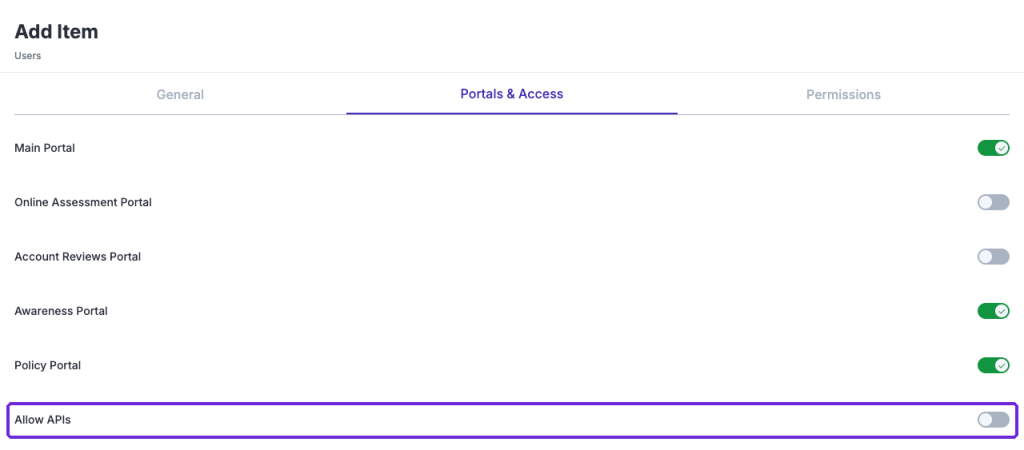
We recommend creating a dedicated account for each integration rather than using a personal account, so you can control exactly what it can do and disable it at any time without affecting anyone.
Personal Access Tokens (Bearer)
The recommended way to authenticate against the New API v2 is a Personal Access Token. Tokens are managed under Settings / Organization & Access / Personal Access Tokens.
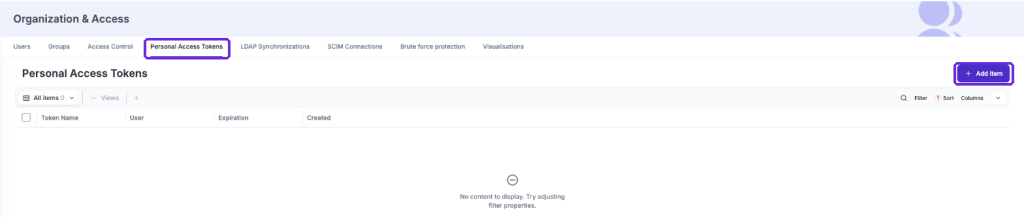
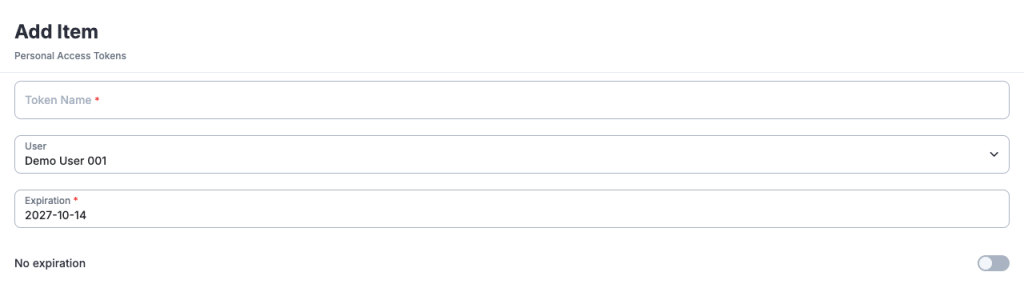
Click on "Add Item" and complete the form:
- Token Name: a name that tells you what integration uses this token
- User: the account the token belongs to (Admins can create tokens for other users), the token will have the same permissions as this account
- Expiration: tokens expire after one year at most, you can also enable "No expiration"
When you save, eramba shows the token only once: copy it and store it somewhere safe. Your requests must then send it on the Authorization header:
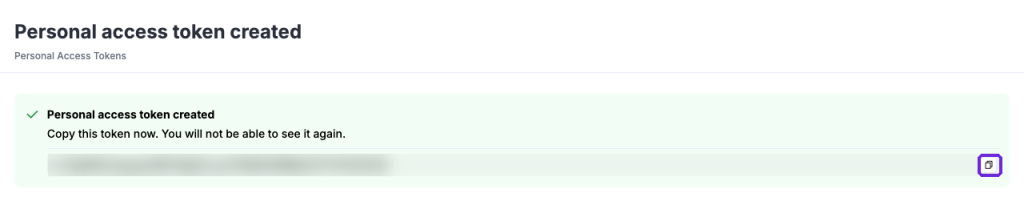
Authorization: Bearer <your token>
You can delete a token from the list at any time to revoke it.
Basic Authentication
You can also use HTTP Basic authentication with the login and password of the account. In this case requests must also send the header Accept: application/json. Calls must always run over TLS (HTTPS).
Permissions
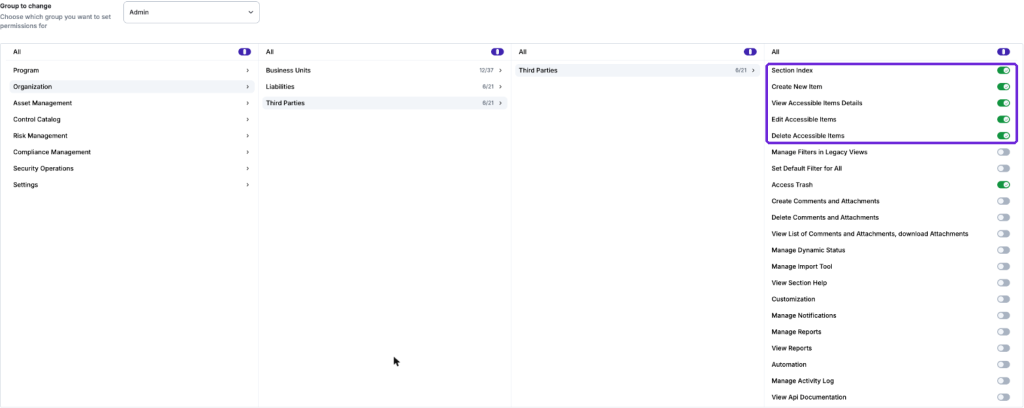
The API respects the same permissions as the user interface. The account will only be able to list, view, create, edit or delete items on a module if its groups allow it under Settings / Organization & Access / Access Control (Section Index, Create New Item, View Accessible Items Details, Edit Accessible Items and Delete Accessible Items), and visualisation settings will limit which items it can see. Please review the "Access Management" course for details.
If a request is not authenticated eramba responds with a 401 error and the message "Unauthenticated.".
Swagger Documentation
All the New API v2 documentation is managed over Swagger. Selecting "New API v2" on a module opens a new tab with the Swagger interface for that module, which contains:
- methods and endpoints available
- parameters, filters and request bodies for every endpoint
- schema definitions and example responses
- the option to try the requests from the browser
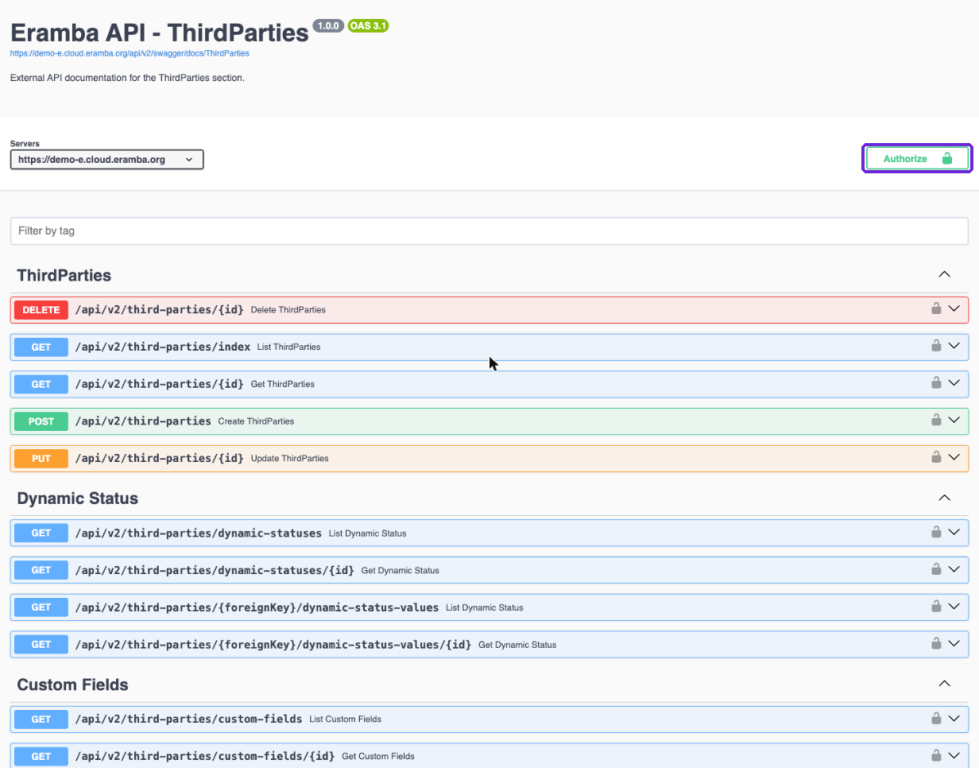
To try requests you first need to click on "Authorize" and enter a Personal Access Token (bearerAuth) or the login and password of the account (basicAuth).
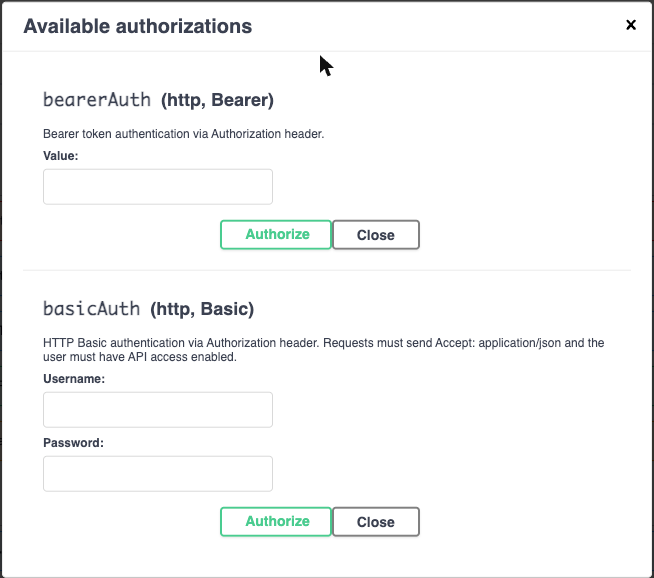
Any developer will be able to understand the schema and calls based on this documentation. It is likely your developers will need assistance from someone that understands how eramba works and how its modules interact with each other.
Dry Run
Click on "Try it out" on any endpoint, complete the parameters and click on "Execute". Requests sent from Swagger run in "dry run" mode: eramba processes the request and returns the real response, but all database changes are rolled back. This means you can safely test creating, editing or deleting items from the documentation without changing your data.
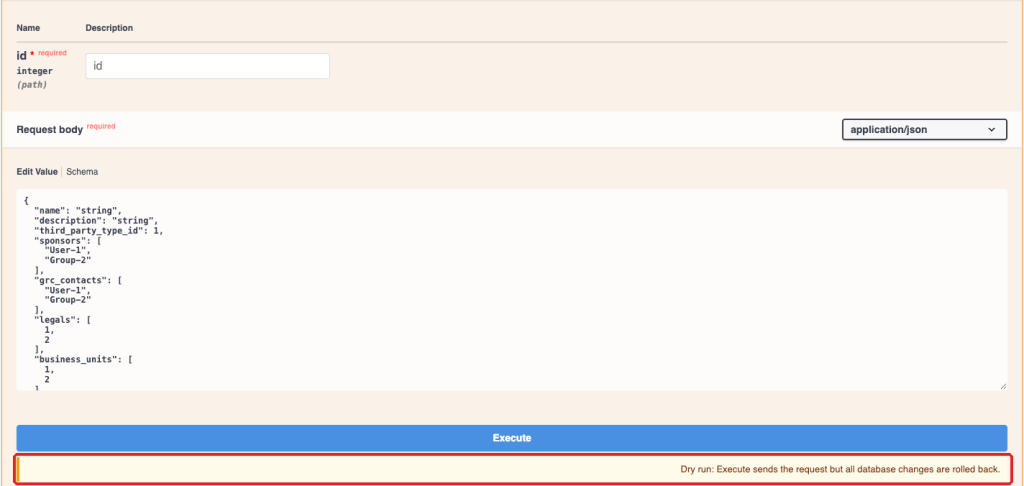
In the example below we sent only the description of a Third Party: the response shows the new description while all other fields keep their values, and the response header x-eramba-swagger-dry-run: rolled-back confirms that nothing was saved.
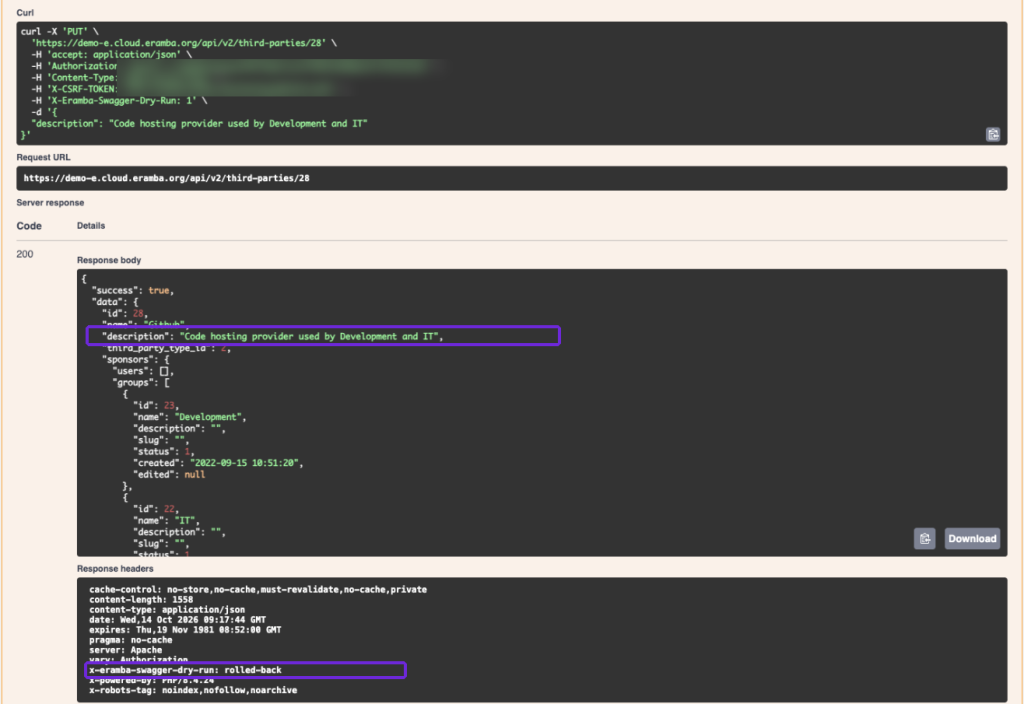
Requests sent from your own code or tools are not dry runs, they will change your data.
Endpoints
CRUD
All New API v2 endpoints start with /api/v2/ followed by the module name, for example /api/v2/third-parties. Every module offers the same CRUD operations:
GET /api/v2/third-parties/index: list itemsGET /api/v2/third-parties/{id}: view one itemPOST /api/v2/third-parties: create an itemPUT /api/v2/third-parties/{id}orPATCH /api/v2/third-parties/{id}: edit an itemDELETE /api/v2/third-parties/{id}: delete an item
Some sub-modules are read-only (for example Online Assessment questionnaires or Awareness Program recurrences) and only offer the GET endpoints. Fields that point to users or groups (owners, contacts, etc) use the format "User-1" or "Group-2", and relationships to other items use their IDs.
All responses are JSON and include a success attribute and the item (or list of items) under data. Errors include error, exception and message, and validation errors tell you which field failed.
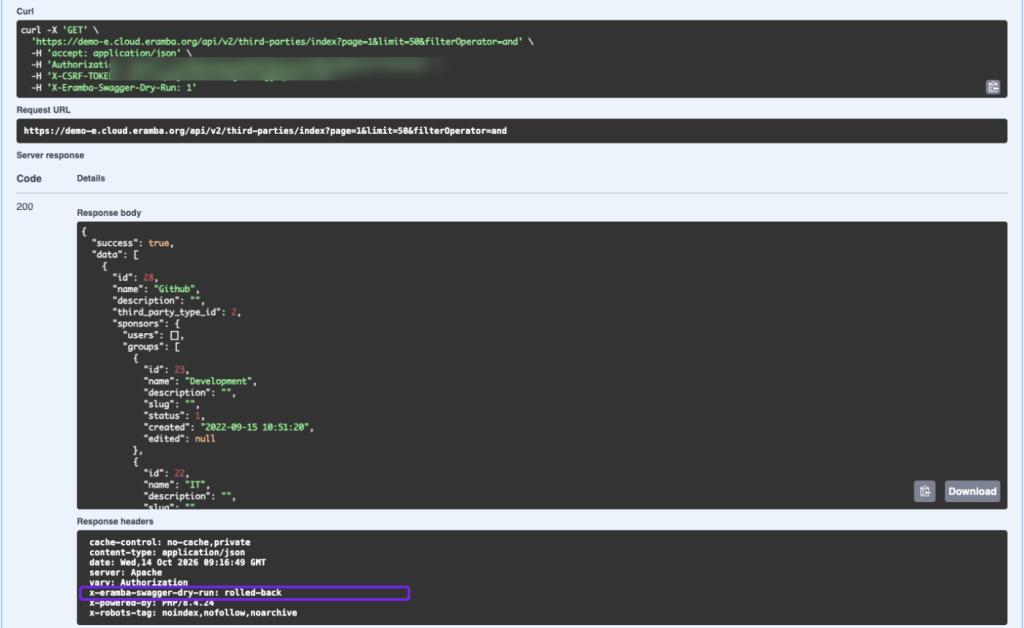
Pagination and Filters
The index endpoints accept the following query parameters:
page: the page you want (default 1)limit: items per page (default 50)filter[field][operator]andfilter[field][value]: filter by any field of the module. The available operators depend on the field type, for example $eq, $ne, $contains, $notContains, $gt, $lt, $between, $in, $empty or $notEmptyfilterOperator: how to combine several filters
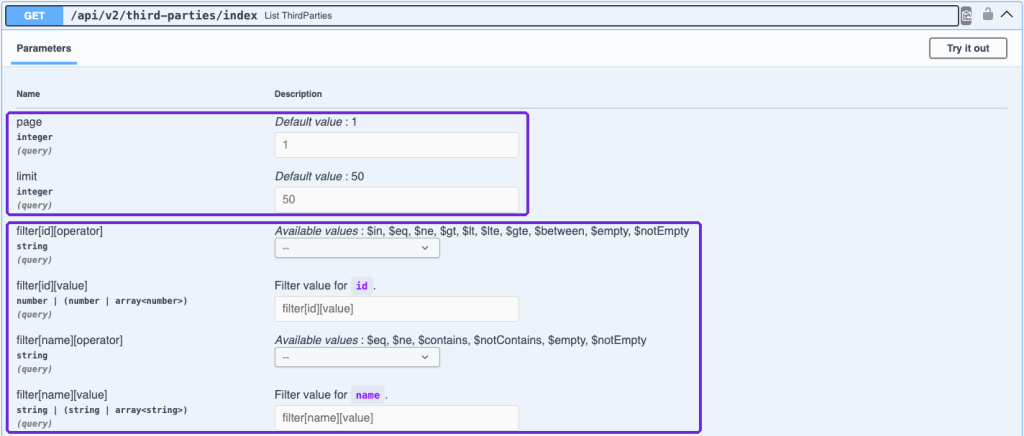
For example: /api/v2/third-parties/index?page=2&limit=20&filter[name][operator]=$contains&filter[name][value]=AWS
List responses include a pagination attribute with page_count, current_page, has_next_page, has_prev_page, count, total_count and per_page.
Edit
Edits are partial: the JSON only needs the fields you want to change, the rest of the item stays as it is. You no longer need to view the item first and send all its fields back, as it was the case with the Legacy API.
You can edit items with either PUT or PATCH (PATCH is available on the most recent versions of eramba). Both methods perform the same partial update and use the same payload, validation, permissions and response format.
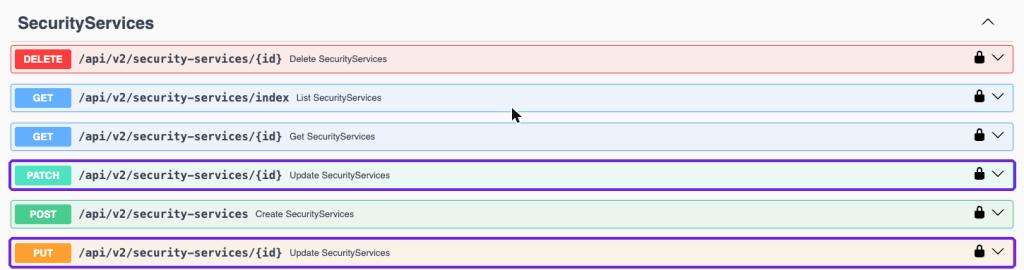
For example, this request only changes the description of the Third Party with ID 5:
PATCH /api/v2/third-parties/5 (or PUT) with the body {"description": "Cloud provider"}
Status, Custom Fields, Comments & Attachments
Every module also includes endpoints for the elements related to its items:
- Dynamic Status:
/api/v2/third-parties/dynamic-statuseslists the statuses defined on the module and/api/v2/third-parties/{foreignKey}/dynamic-status-valuesreturns the status values of one item - Custom Fields:
/api/v2/third-parties/custom-fieldslists the custom fields of the module - Comments:
/api/v2/third-parties/{foreignKey}/commentslists (GET) or adds (POST) comments to an item, and comments can be deleted by ID - Attachments:
/api/v2/third-parties/{foreignKey}/attachmentslists the attachments of an item, and every attachment can be downloaded
Module Actions
Some modules include extra endpoints for the actions you would do with buttons in the interface. For example Online Assessments can be started, stopped and reviewed, and Awareness Programs can be started, stopped, paused, reset or switched to demo mode. You will find them on the Swagger documentation of each module.
API, Statuses and Notifications
The API only performs CRUD actions: it creates, reads, updates and deletes items. The API itself does not send emails, webhooks, Slack or Teams messages and it does not run automations.
However, changes made through the API are treated exactly like changes made from the user interface, so they can start the usual chain of events in eramba:
- An item is created or edited through the API
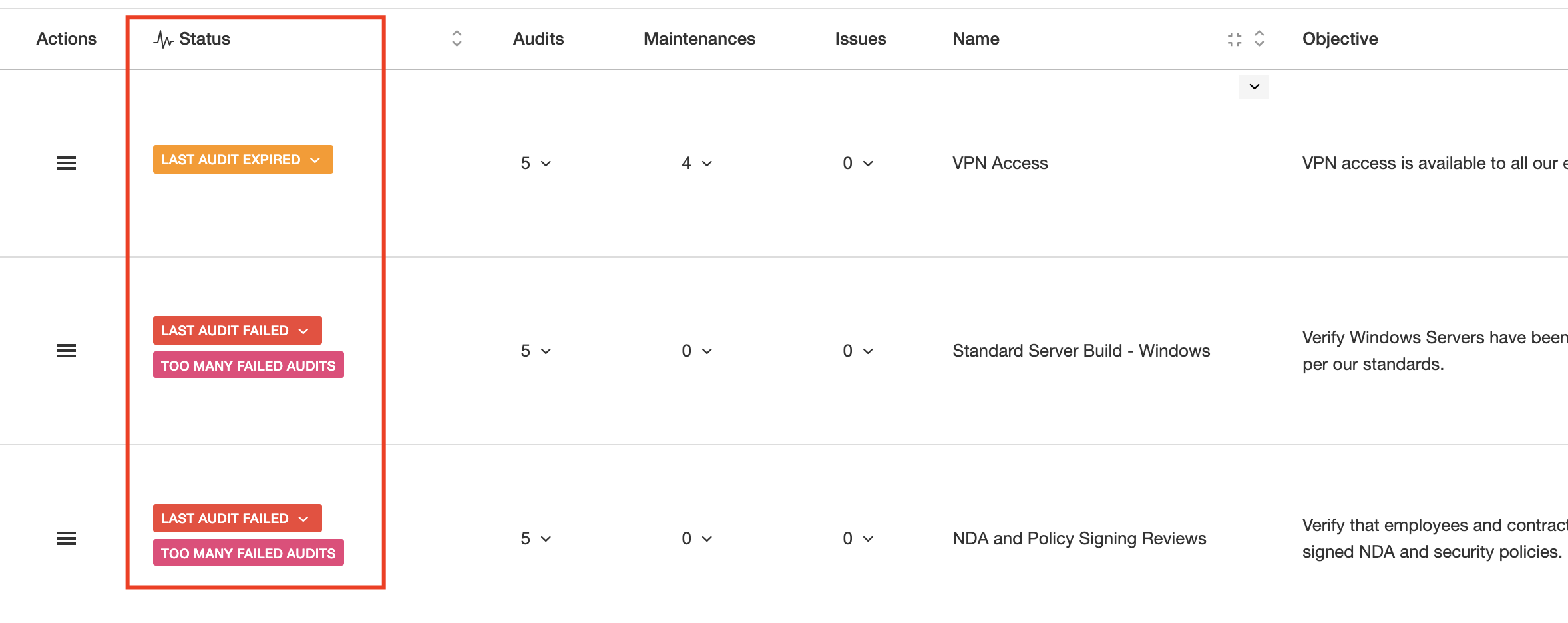
- The change makes a Dynamic Status match (or stop matching) on that item
- That Dynamic Status triggers a Notification
- The Notification delivers an email, a REST webhook, an automation, a Slack or Teams message, Etc
The diagram below shows both sides: on the left eramba receives CRUD actions through the API on a module (in this case Risk), on the right we can see Statuses and Notifications sending webhooks to other systems (sometimes directly and in one scenario through an intermediary).
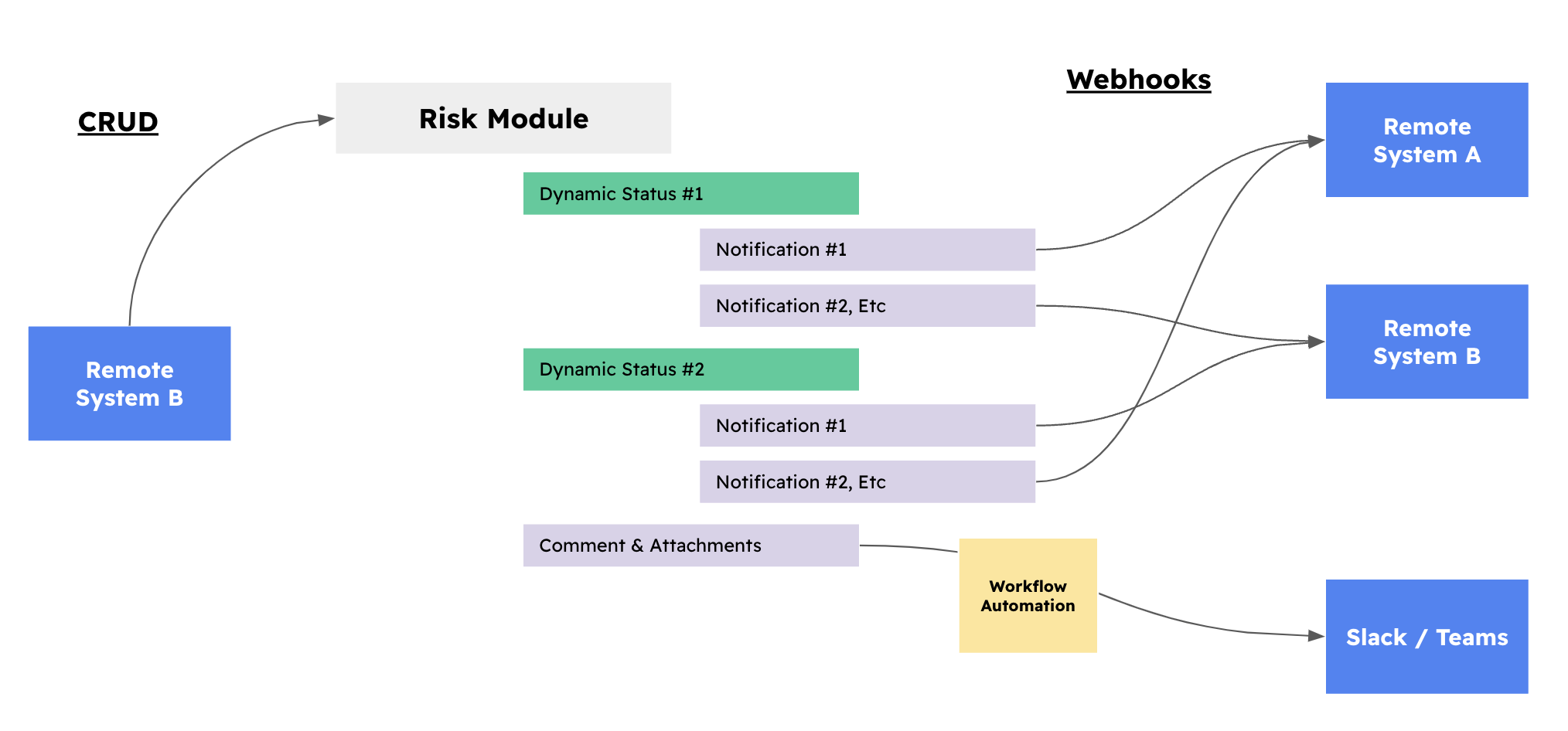
For example, your SIEM creates an incident in eramba using the API. The incident matches a Dynamic Status called "New Incident", which triggers a Warning notification that sends a message to your Slack channel and a webhook that creates a ticket in Jira.
Statuses can be configured in every module based on your own conditions: when a Risk is created, when a Risk becomes High, when a Risk is no longer mitigated, when an Internal Control needs testing, Etc.
To configure this chain you need to be familiarized with the following two courses:
- Dynamic Status
- Notifications
Webhook Notifications
Webhooks are a delivery option of Warning (including Dynamic Status) and Comments & Attachments notifications, not a feature of the API.
When a status triggers (the label is shown) you can trigger a Warning notification and on that notification you can choose to send a REST call instead of just an email.
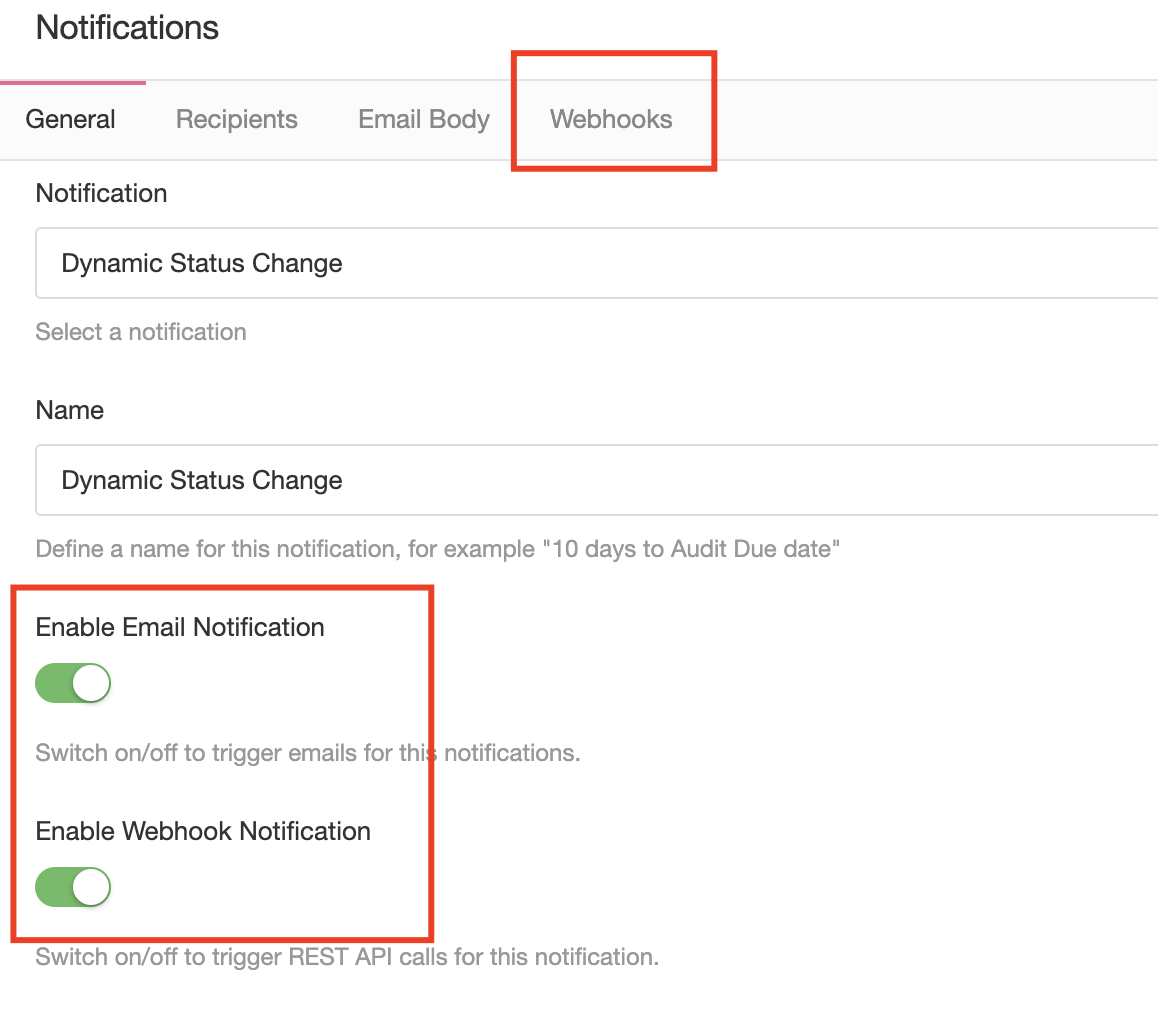
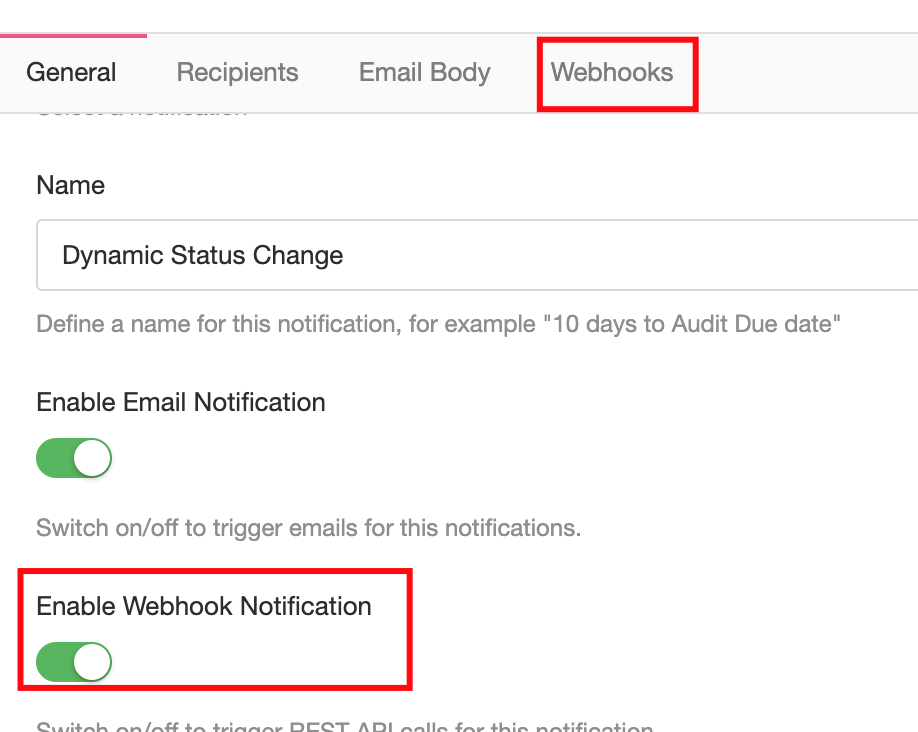
Notifications are managed from the "⋮" menu of every module, under "Notifications". When configuring any of the notifications mentioned above you will be able to enable "Trigger Emails" or/and "Trigger REST Web-hooks".
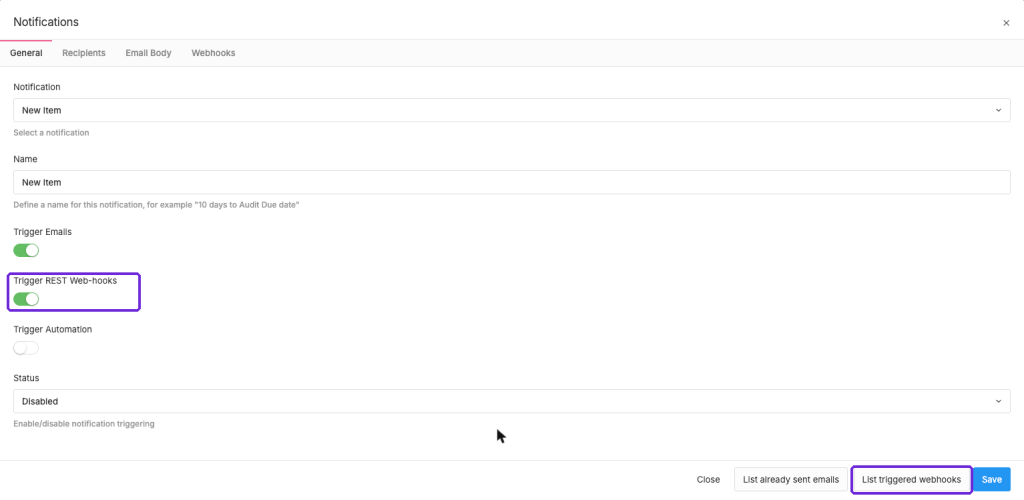
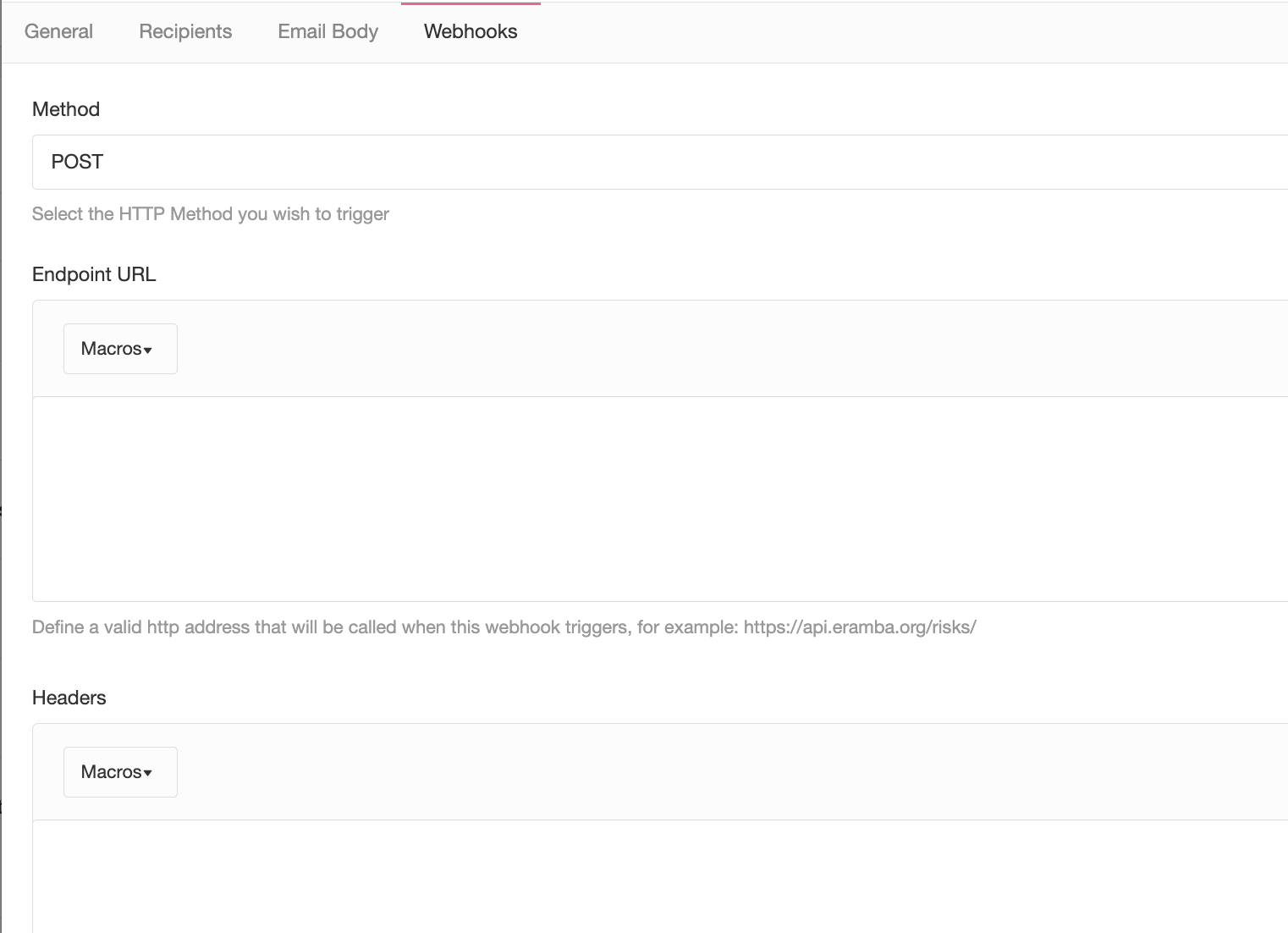
Enabling the toggle will make the "Webhooks" tab visible, in there you can configure the HTTP Method, the Endpoint URL, the Headers and the Content (payload) of the request. You can use Macros as well to input into the requests the fields from the item (Risk, Control, Etc) that triggered the notification.
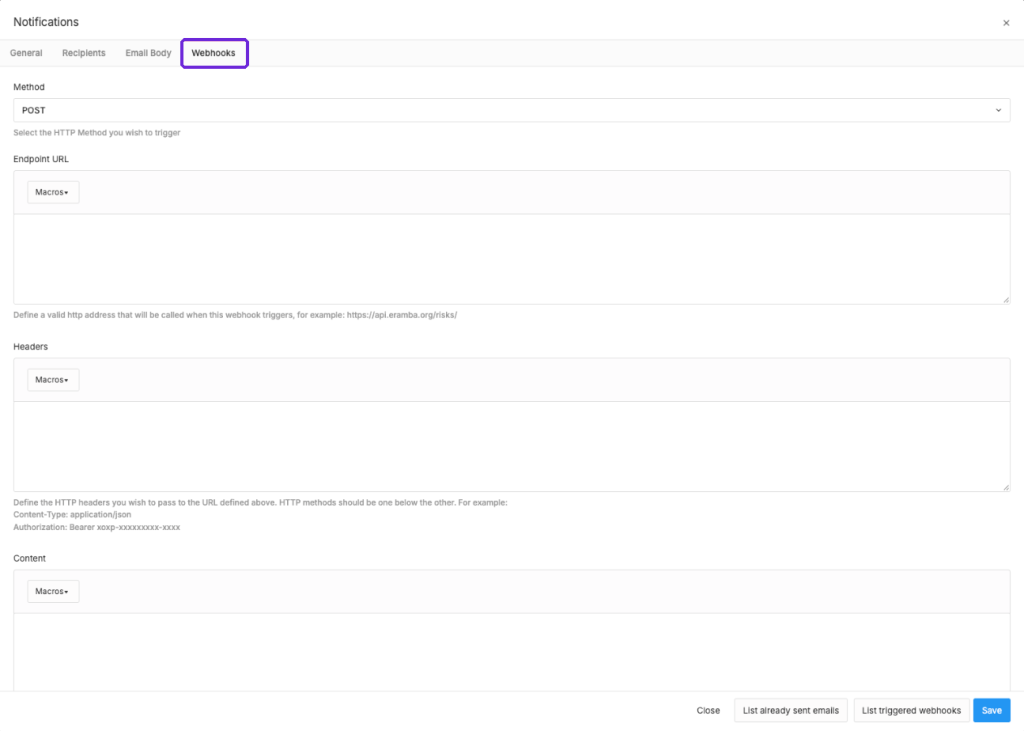
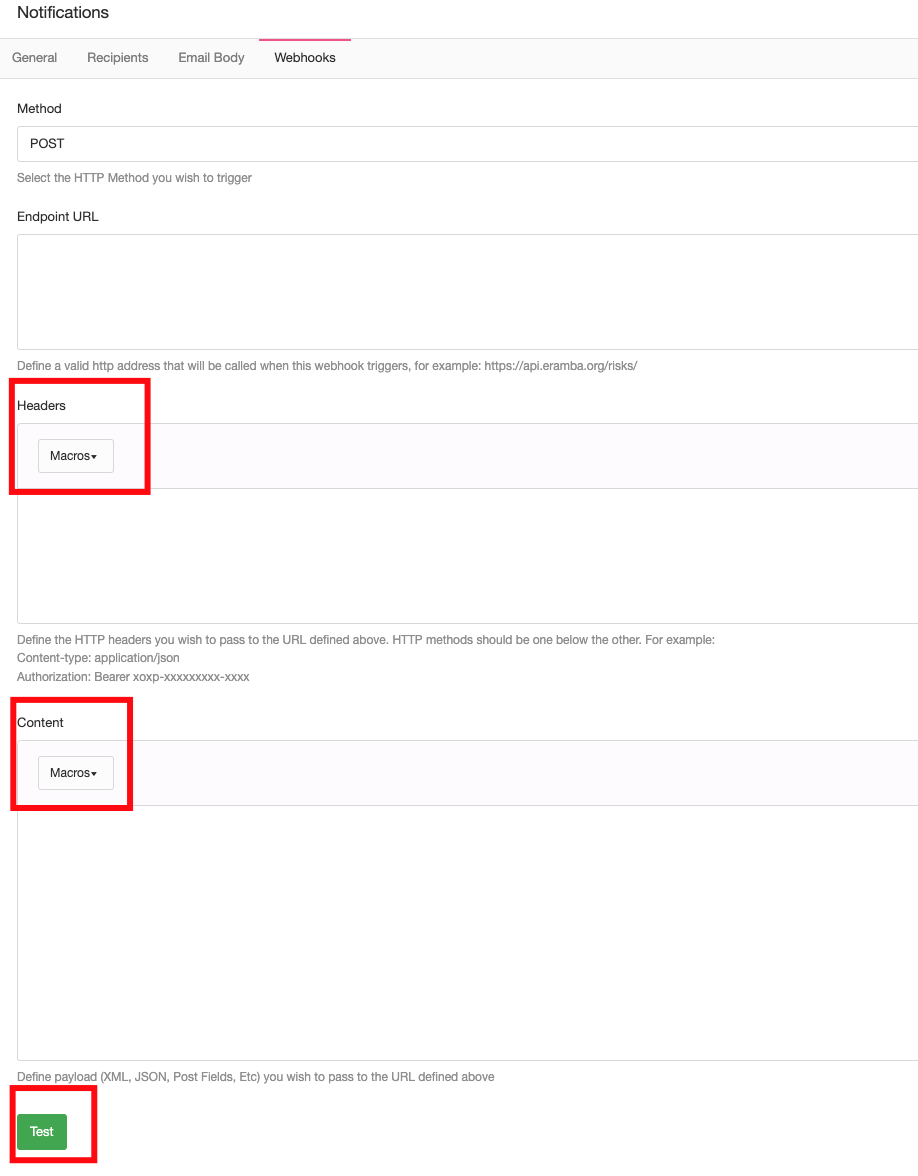
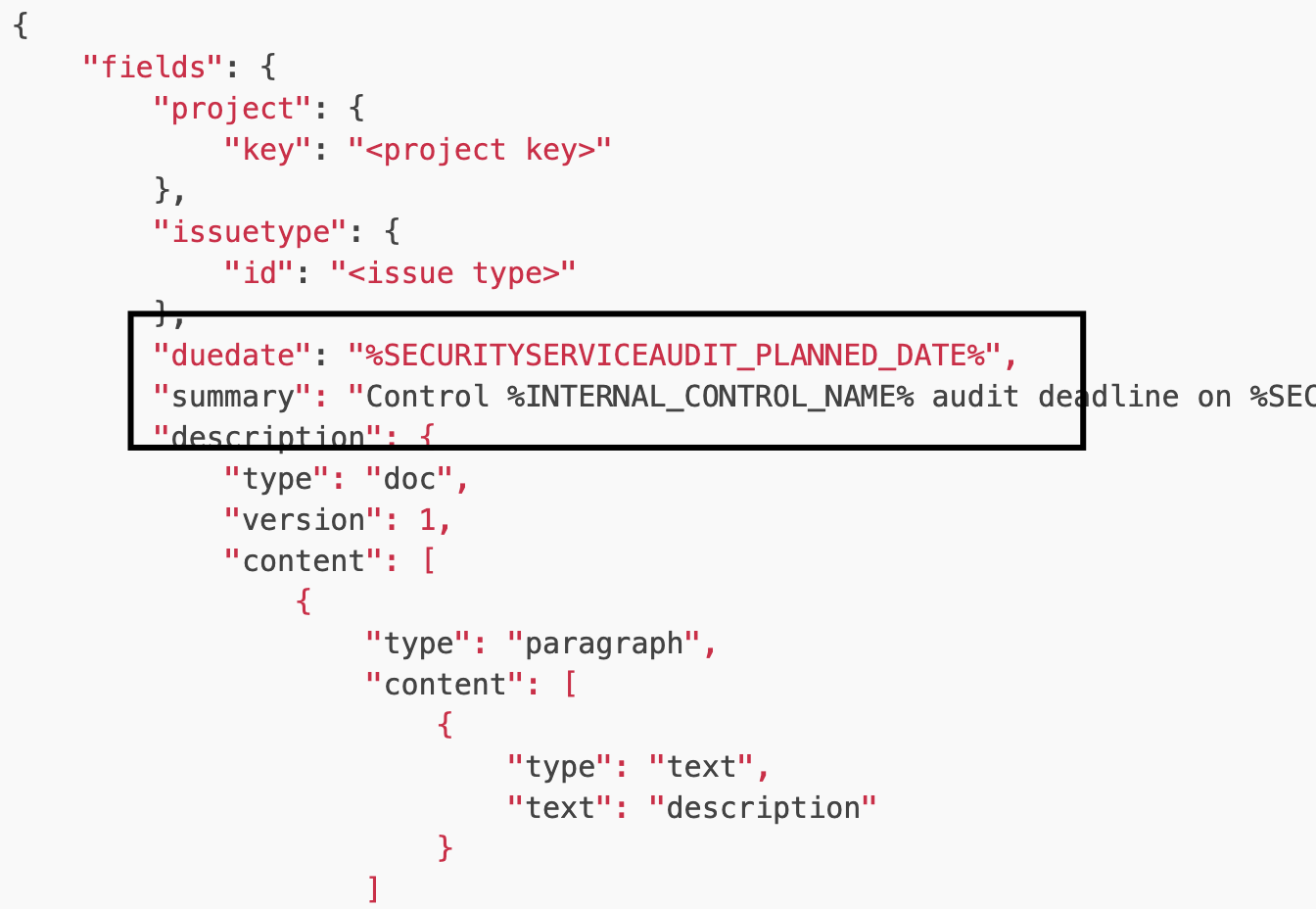
This can include macro fields, allowing you to inject into the request whatever attribute you want.
The "Test" button allows you to test your request against your end-point, eramba will show the request sent and the response obtained from the endpoint.
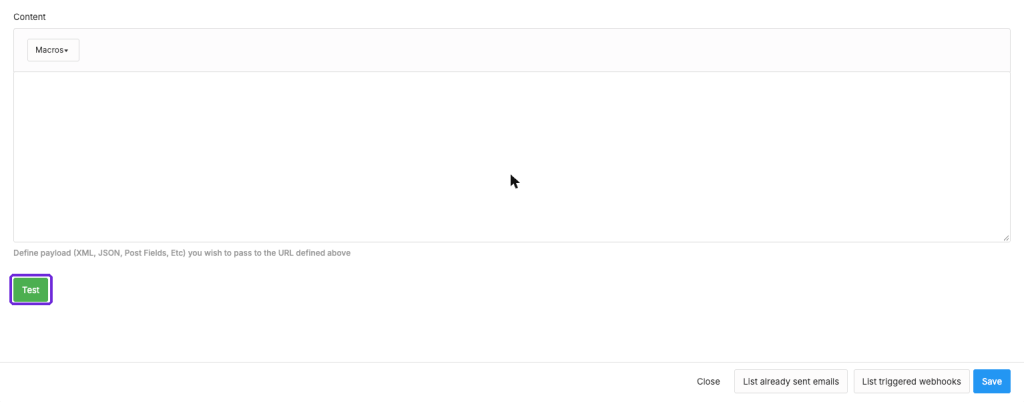
When you save the notification you can see all requests made by the notification with the "List triggered webhooks" button, or for all notifications under Settings / Application Configuration / Webhooks. On that same page you can configure the "Webhook request timeout" (in seconds) that will apply to all requests sent.
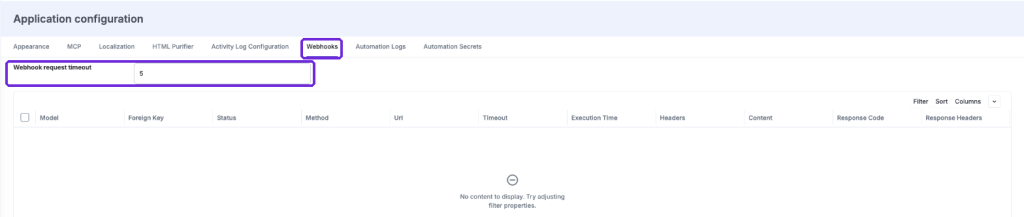
Comments and attachments notifications can also trigger webhook calls, this is useful if you want to send updates to other tools instead of simply sending emails.
Typical REST Questions
Introduction
In this episode, we will provide you with some advice in regard to the typical issues we see with organisations trying to implement REST APIs with eramba.
Feasibility
Integrations are used typically with an end goal, for example:
- We track projects in Jira, we would like eramba audit records to create tasks in Jira as is where we follow up on work
- We would like our SIEM solution to create incidents in eramba automatically. When that happens, eramba will trigger a notification to our team for follow-up.
- Etc
Is important you understand that integration must be described as an "end goal", a technical person will then be able to determine:
- What systems are involved
- If these systems can actually provide this information
- The cost of building all this
While technical aspects most times can be resolved one way or another, the cost involved in doing this is far greater than the benefits it provides. If your SIEM creates one incident a month, is perhaps simpler to do this manually.
Bottle Necks
If your integration is something that happens often and therefore you are looking at "saving time" by creating things manually, you need to consider the entire process rather than an action on itself.
For example:
- An SIEM can create things in eramba automatically, but these things (incidents) will still have to be manually processed.
- If you want to sync "assets" to eramba for later Risk assessment, you need to consider that while assets can be created very quickly the Risk assessment process is still a manual process.
A proper technical implementation will look at the process, the stages involved, which ones are automatic and which ones are manual and forecast a time model.
Database Duplication
We sometimes hear something like, "We want to synchronize our CMDB into the eramba Asset module". Technically speaking this is possible, but the feasibility is often times on the details.
Software needs to handle CRUD operations, if you do not know what this is then important you consider talking to a developer before making big plans. CRUD means: CREATE, READ, UPDATE and DELETE.
- Creating assets in eramba can easily be done using REST
- Assets will need to be reviewed by a human (manual process)
- Assets will be linked to Risks (risk assessment is a manual process)
- Risks will need to be reviewed (manual process)
So far, that is Creation. You need to consider what operations you will need for:
- Reviewing (updating) the asset and the Risk
- Removing an asset, will imply that the risk will have to be deleted or modified somehow
The point we are trying to make here is that synchronizing databases requires a lot more work (REST operations, comparisons, controller code, etc) than simply creating things. You will also face issues with manual tasks that will inevitably create bottlenecks.
Reporting
Serious reporting involves data from multiple inputs merged into a controller (calculations, etc) that then displays data (view) into very friendly and easy-to-understand terms. A whole industry called Business Intelligence exists that takes care of all these operations with incredible detail.
If you want to feed eramba data into your corporate reporting tools, you will then rely on REST calls. REST calls will prepare the controller and modelling aspects of data for your BI tooling. An alternative is to query the eramba SQL database directly (only for on-prem installations) but this will make things complicated as you will need to solve controlling and modelling on your own, not to mention our schema can change anytime without notice.
Third-Party
There is absolutely no point in a tool like eramba trying to integrate into the endless number of applications that exist in the world. For this reason we often times recommend you use workflow automation tools (Zappier, Make.com, etc) in between eramba webhooks and your end solutions.
These third-party systems have integrations resolved (authentication in particular) so all you need to do is send data to them in the format they need, and then the rest is taken care of by them.
Legacy API
The Legacy API is still available on all modules that support APIs and it is the only API on modules that have not been migrated to v2 yet. It is opened from the same "⋮" / "API" menu ("Legacy API"), and it lists the routes and schema of the module.
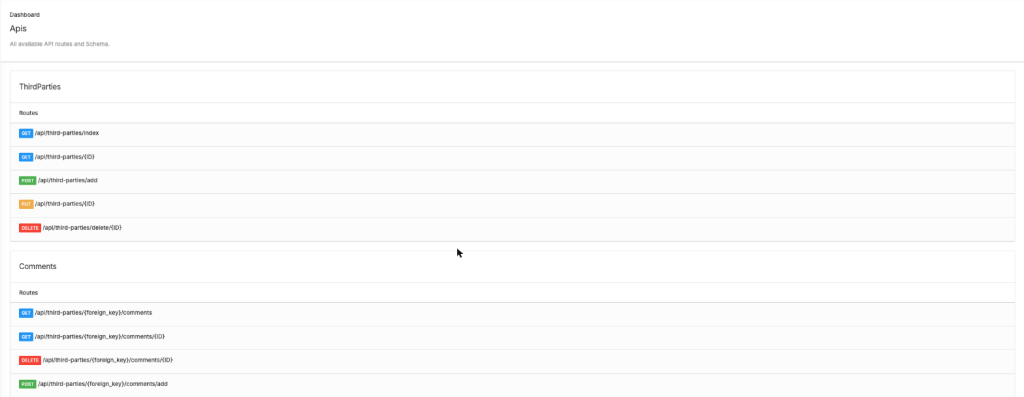
As shown in the screenshot below, the Legacy API documentation can be found on each module (you need to be logged as an Admin or member of the Admin group to see the documentation).

Keep in mind the following differences with the New API v2:
- Authentication is Basic only, with an account that has "Allow APIs" enabled, and calls must run over TLS. To see the documentation your group needs the "View Api Documentation" permission on the module.
- Endpoints start with
/api/instead of/api/v2/ - Pagination is controlled with
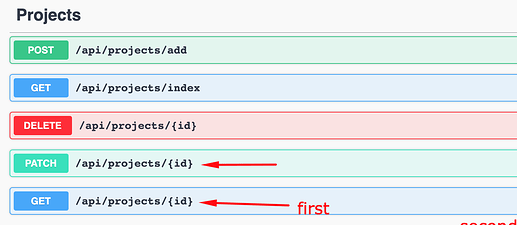
?page=$pageNumber&limit=$itemsPerPage, there is no sorting available. - To edit an item the JSON must contain all fields of the item, not just the one you want to edit. You need to view the item first (and get all fields) and then use that to do the edit (by changing only the field that you want to update and leave the rest as it is).
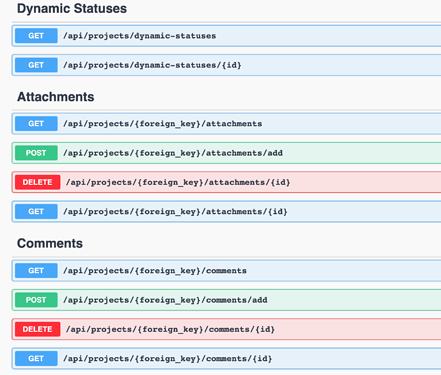
- Status, comments and attachments are pulled from separate endpoints where the item/section you are interested in querying is passed as a parameter.
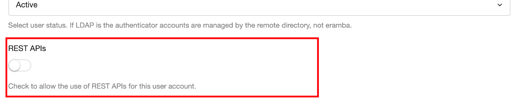
The account must have the "REST APIs" toggle enabled:
To see the documentation, create a group (for example "API Documentation") and enable the "API Documentation" item on the section you plan using APIs:

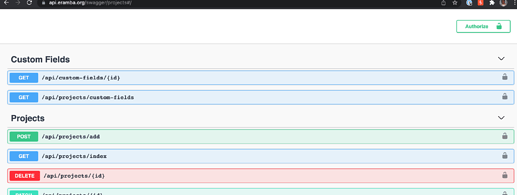
The Legacy API documentation is available on every section where APIs are enabled, under the name "API", and it is also managed over Swagger:

To edit an item, view it first and send back all its fields, changing only the one you want to update:
Status, comments and attachments are pulled from separate endpoints where the item/section is passed as a parameter. For example, to see the status values of a risk:

If the module you need is available on v2, we recommend you use v2 for new integrations.
How-to Guides
Postman Collection
Note: the Postman collection was built for the Legacy API. For the New API v2 we recommend using the Swagger documentation of each module, which lets you try every endpoint in dry run mode.
Introduction
We need to test our APIs frequently and therefore we use a Postman collection to store all the endpoints and their payloads. You can copy that collection to your account (fork) and use it for your own testing purposes.
REST APIs are developer stuff so if you have not worked as a developer you will struggle.
Postman Account
To fork the collection you need a free, public, account in Postman, follow their usual steps until you get your account fully working. While we use the online version of Postman, they also have a desktop app.
Fork Collection
Once you have your account you need to fork our collection, while logged in at Postman search for our collection and then click on Fork. You should create your own local copy of our collection on your repository.

You will now see our collection on your postman account on the right panel, expand the catalogue and you will see for every module where we have api's all methods. You can not still use them because you need to define your environment.
Environment
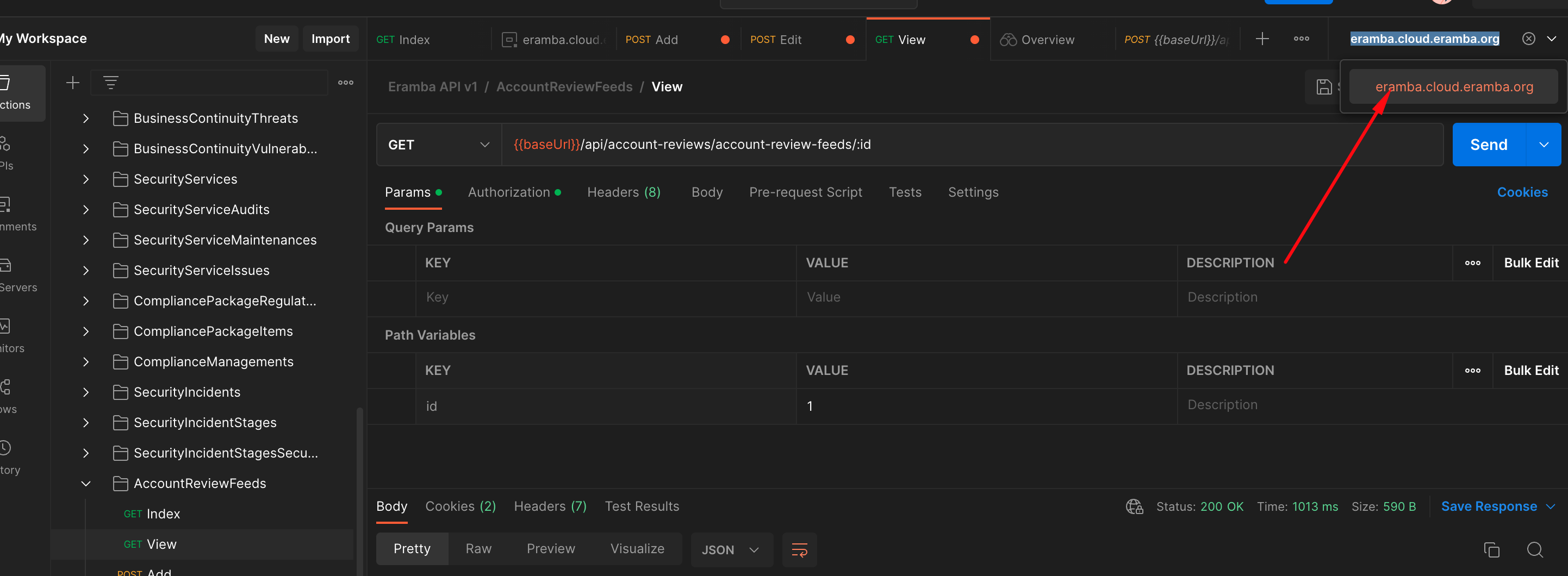
You need to tell Postman where to send requests and how, for that, you need to go to Environments and define your server, username and password.
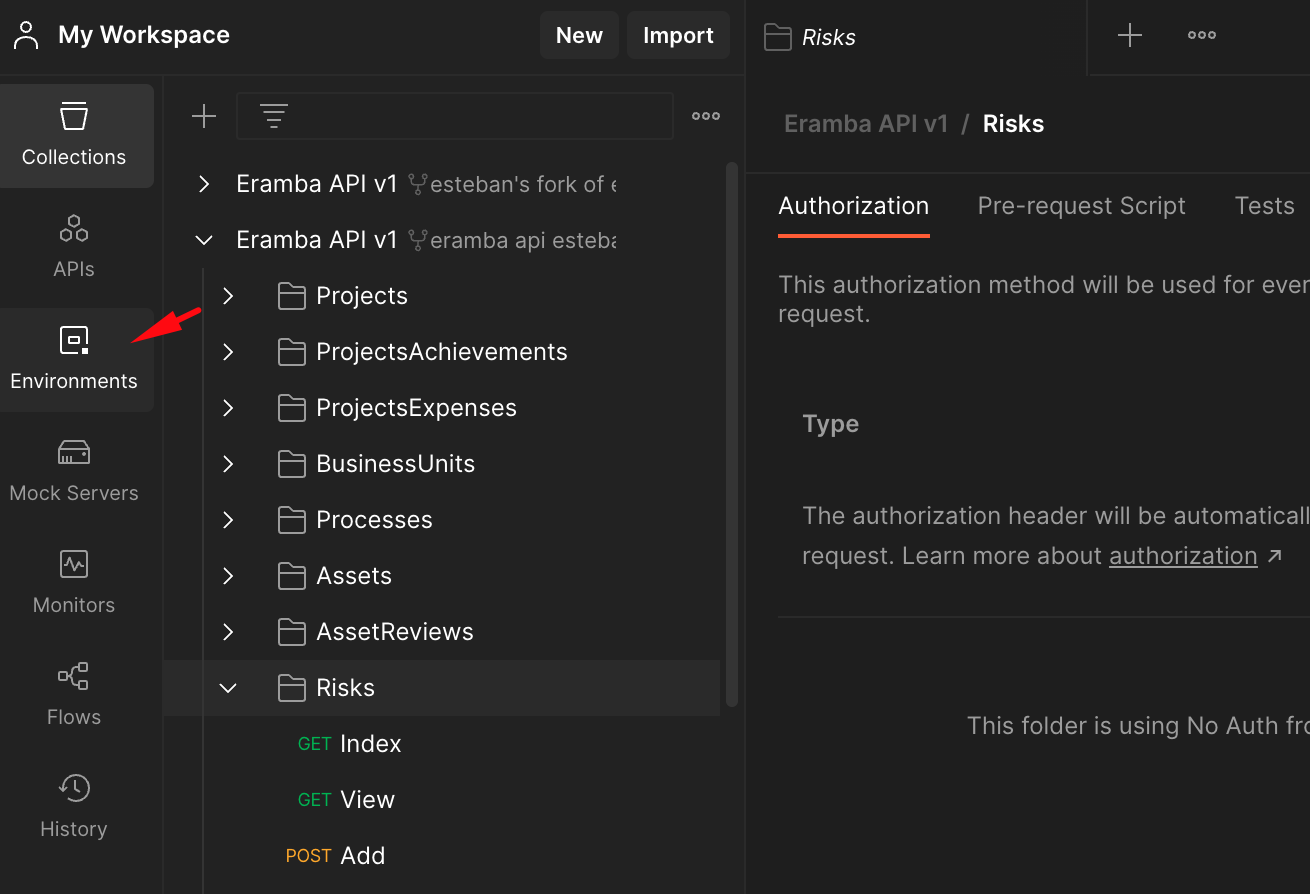
Once your environment has been created you need to select it for the collection you plan on using (ours).
Testing
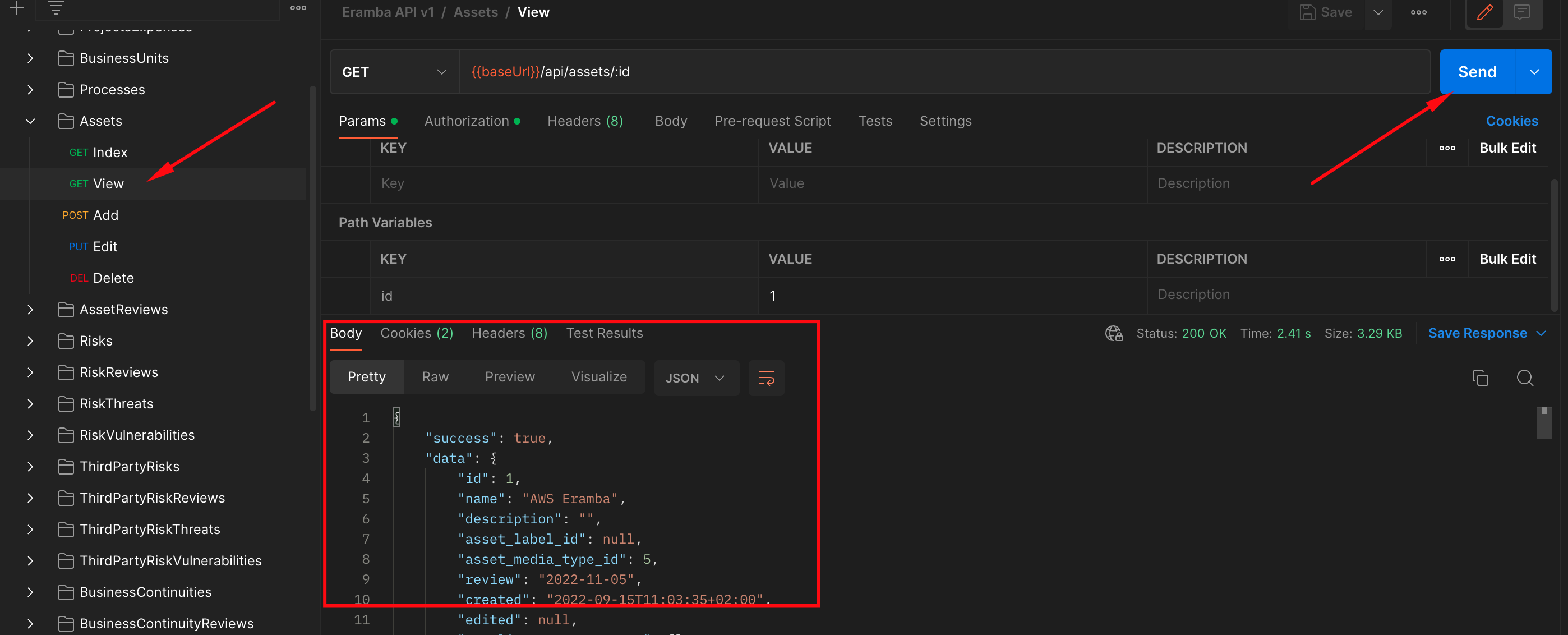
Now you can test your setup, simply select an item from the collection (we suggest you start with something easy as "Index") and run it.
Still have questions?
Write to support@eramba.org or ask the community on the forum.