Disclaimer
While fully functional, this feature is still experimental, and it has not been fully released to all customers. You will be informed when it is ready.
Introduction
Course Introduction
Primarly this course requires you to undertand "Theory". Implementing a core eramba "Use Case" require this module, for that reason these "Use Case" guides make constant regerence to this course "Theory" and "Videos" sections.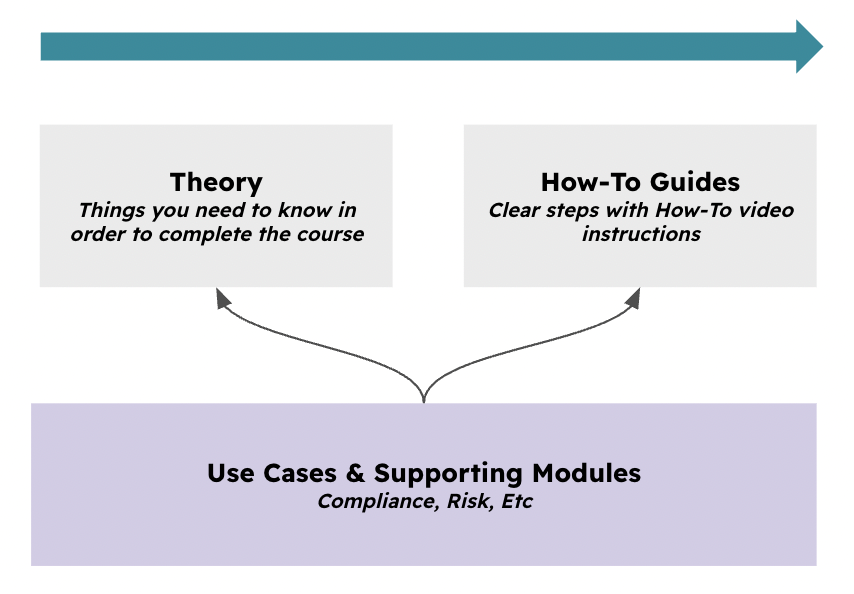
Typical Scenarios
There is an endless list of possible use cases for this feature. To mention just a few:
-
Use natural language to request any type of data, filter, sorting, etc. For example, list all expired policies used in the ISO 27001 compliance package. Present them in a table.
-
List all items inside the PCI compliance package and create a pie chart showing them grouped by status.
-
Check whether an existing policy helps me comply with a specific ISO, NIST, Etc requirement. If yes or no, define what I am potentially missing.
-
Analyze the result of an online assessment to generate a risk profile.
-
Identify potential risks based on your existing business units, processes, liabilities, assets, and third parties, and create a ready-to-import CSV file for Eramba.
-
Suggest internal controls for a given compliance requirement or risk.
-
Suggest policies to meet certain compliance requirements
-
Suggest Risks to your organisations
-
The list is endless… you get it.
Supported Versions
This feature runs on Enteprise versions
Scope
This feature applies to the entire software
Theory
The schematic below depicts a general overview of the solution and its key components. Your Eramba instance (running in our cloud or on-premise) has an MCP server (switched off by default) that is able to receive the prompts from LLM Provider (ChatGPT, Copilot, etc.).
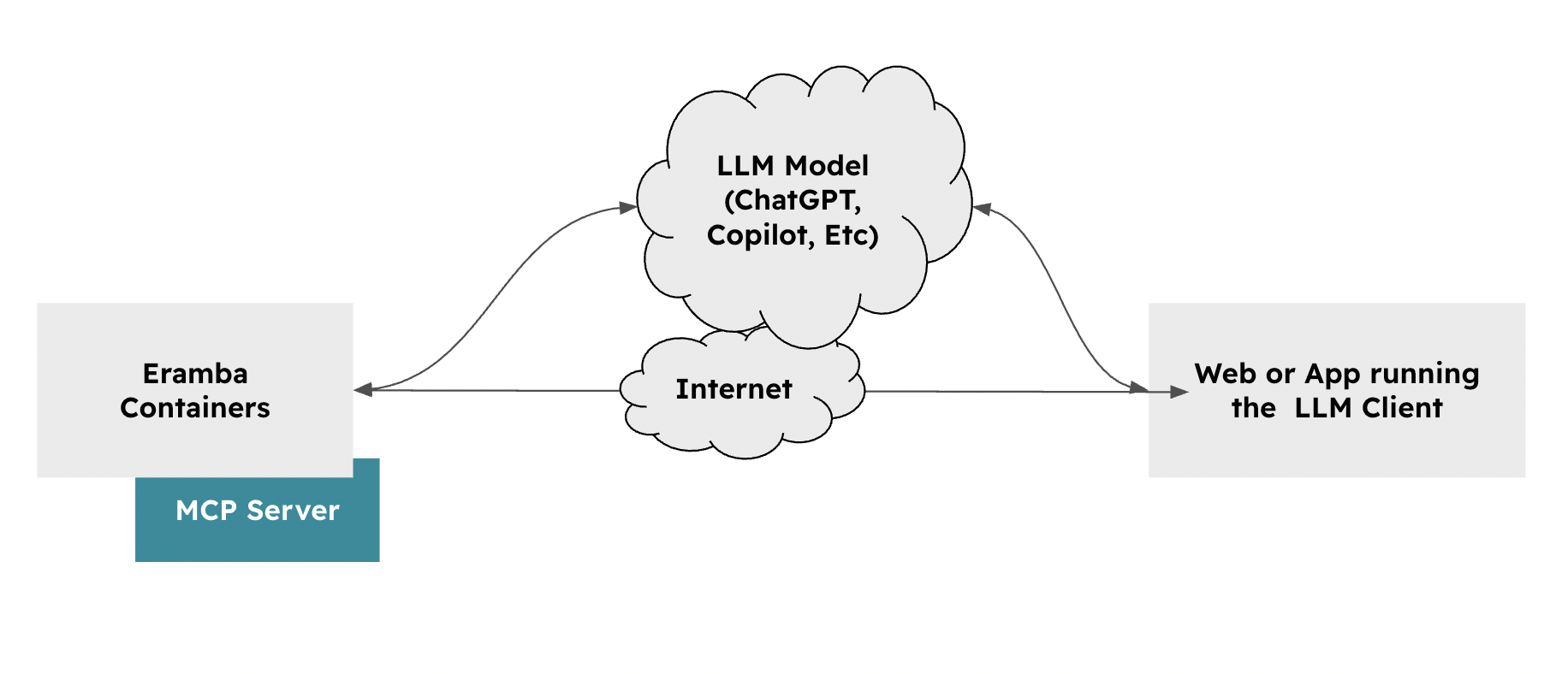
The process begins when you configure your LLM Client with an “MCP Connector” (sometimes called an Application) that points to your eramba instance. The URL you must point the connector to is always set to https://yourinstance/mcp/
As you prompt instructions to your LLM Client, your LLM Provider will decide if it needs to connect to eramba over MCP or not to provide you with the best answer. Your LLM Client never really connects to the eramba MCP server, and for that reason, eramba cannot trace or log what prompts you write.
The data obtained from eramba (Risks, Policies, Etc) will be processed by your LLM Provider and then sent over to your LLM Client. Eramba does not have an LLM Provider, is all managed by whatever LLM you use.
Authentication & Authorization
When configuring your LLM client, you will be redirected to the URL where Eramba runs, and you will be asked to authenticate as you usually do. These sessions will be stored on your LLM client, allowing you to access Eramba with the same access rights your account has when you use the browser.
All users in Eramba are allowed MCP connections. If you do not wish to grant permission to a user, simply disable the account or limit its permissions using the Access Management settings.
Write Operations
Your LLM client will only be allowed to read data from Eramba, not write it. Even if your account has write permissions (create, edit, etc.), these actions will not be allowed. This is to simplify the security risks that using LLMs can introduce.
Limits
We are limiting the number of prompts you can send to Eramba per user per day, so if you exceed this limit, you will see a message similar to the one shown below. If you wish to disable these limits, contact support@eramba.org.
Data Privacy
eramba built this feature in a way that completely detaches it from this topic. In the end, the LLM you use is also defined by you. You need to configure your LLM Client with whatever settings you want to limit memory, learning capabilities, etc.
Videos
Configuring ChatGPT for MCP
Still have questions?
Write to support@eramba.org or ask the community on the forum.