Introduction
Course Introduction
This course explains the theory, implementation and operation of the Exception Management modules (Policy, Risk and Compliance) and how they relate to other modules within eramba.
Primarly this course requires you to undertand "Theory". Eramba "Use Cases" require this module to be implemented, for that reason these guides make constant regerence to this course "Theory" and "Videos" Guides. Advanced Configurations explain you how to implement this module with more sophisticaeted configurations.
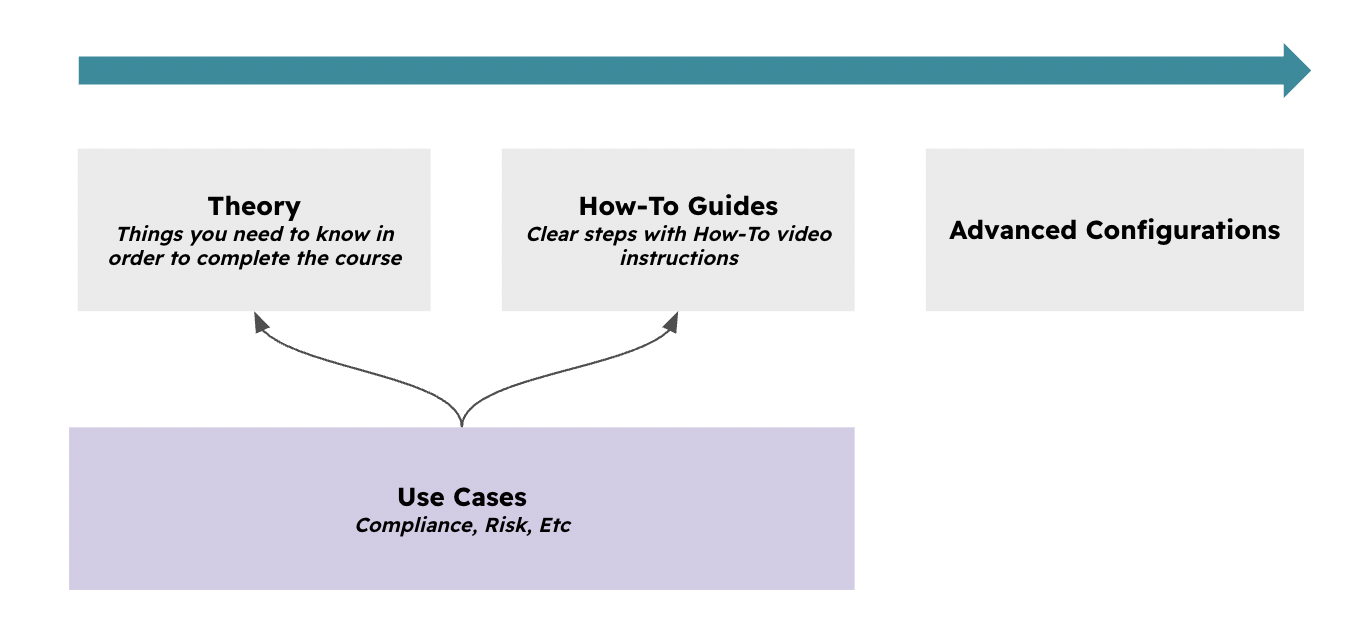
Typical Scenarios
This chapter explains how Exceptions are used in eramba:
-
Record the decision not to treat a Risk
-
Record typical ISO 27001 SoA exclusions
-
Record business requests not to follow organization-wide Policies
Supported Versions
This feature runs on Community and Enteprise versions.
Theory
Exception Types
eramba has three types of Exceptions. They all have the same functionality, so understanding how one works will help you understand the rest, but they apply in different circumstances:
-
Compliance Management / Compliance Exceptions: These are used when a compliance requirement is not applicable at this time. For example, if you are not a “Service Provider,” multiple PCI-DSS requirements do not apply to your organization.
-
Risk Management / Risk Exceptions: These are used when the treatment for a Risk is set to “Accept,” “Avoid,” or “Transfer.” If laptops can be lost or stolen and the business decides not to invest in encryption and strong authentication for devices, the right thing to do is document this decision.
-
Control Catalogue / Policy Exceptions: These are used to log when someone needs to do something that goes against a Policy. For example, a developer requesting write permissions on a production database.
Module Relationshps
When creating Exceptions, you can always associate them with their related item.
- For Policy Exceptions, you can link one or more Policies.
- For Compliance Exceptions, you can link one or more Compliance Analysis requirements.
- For Risk Exceptions, you can link one or more Risks from any of the three Risk modules: Asset, Third Party, and Business.
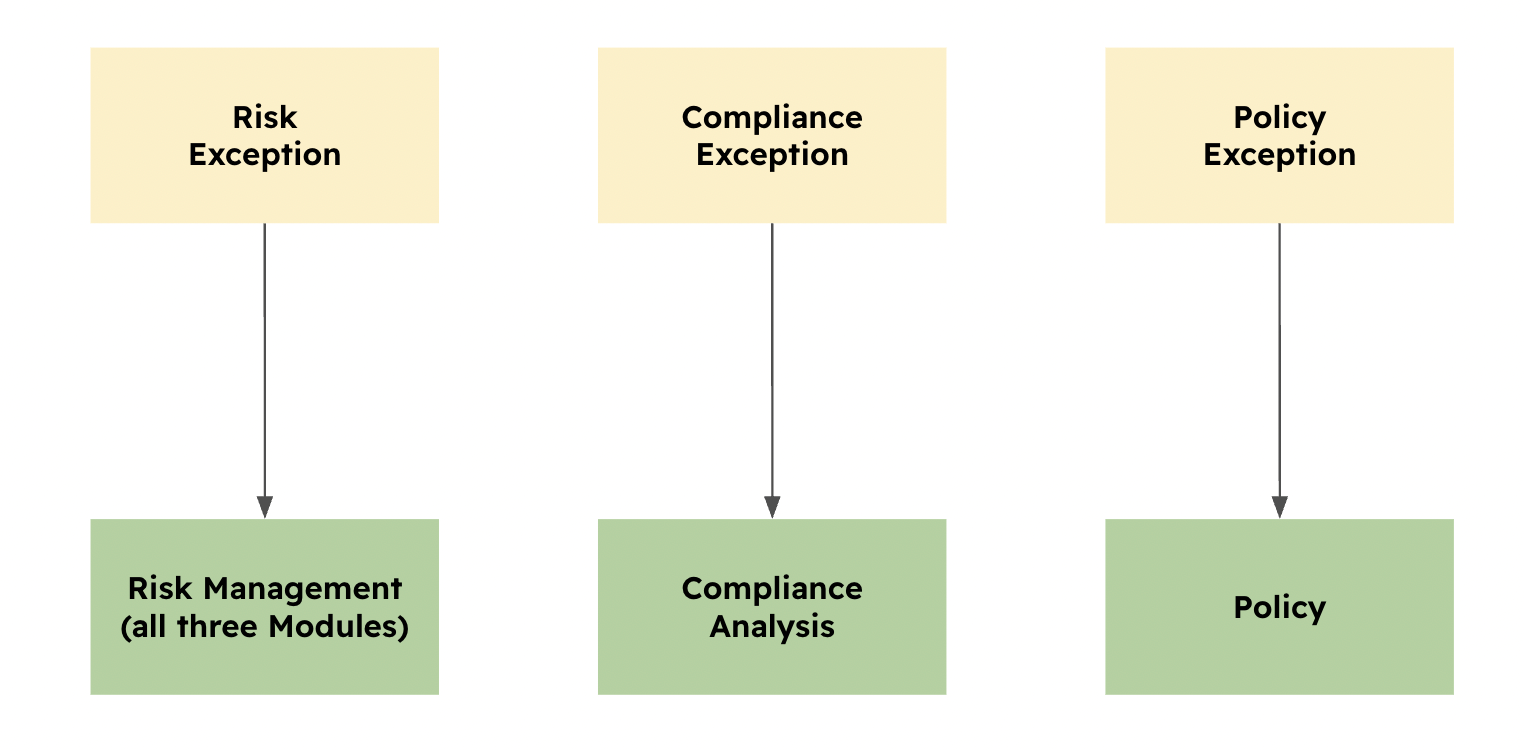
Many times, one Exception will suffice for multiple items. For example, if you are doing ISO 27001 and multiple requirements do not apply to your organization, you can link one “Not Applicable” Exception to all of them.
Exceptions
Exceptions have the same fields. The most relevant are:
-
GRC Contact: The group from the GRC team that has an interest in documenting the Exception.
-
Exception Requester Contact: The group that requested the Exception.
-
Related Item: The related module item, such as Policy, Compliance Requirement, or Risk.
-
Expiration Date: Exceptions are not meant to last forever, which is why they are exceptions. This deadline is used to review the Exception.
-
Status: When creating an Exception, this is always set to “Open.” After saving the Exception, you can edit it and switch the status to “Closed.”
The process by which you create or renew an Exception is the same for all types of Exceptions:
-
Create the Exception.
-
Include a “Comment & Attachment” with the sign-off from the requester.
-
Wait until the Expiration Date to either extend that date or close the Exception.
Statuses
Default statuses will be applied to your Exceptions and their related items. Your Exceptions will have three main statuses by default: “Closed,” “Expired,” and “Open.”
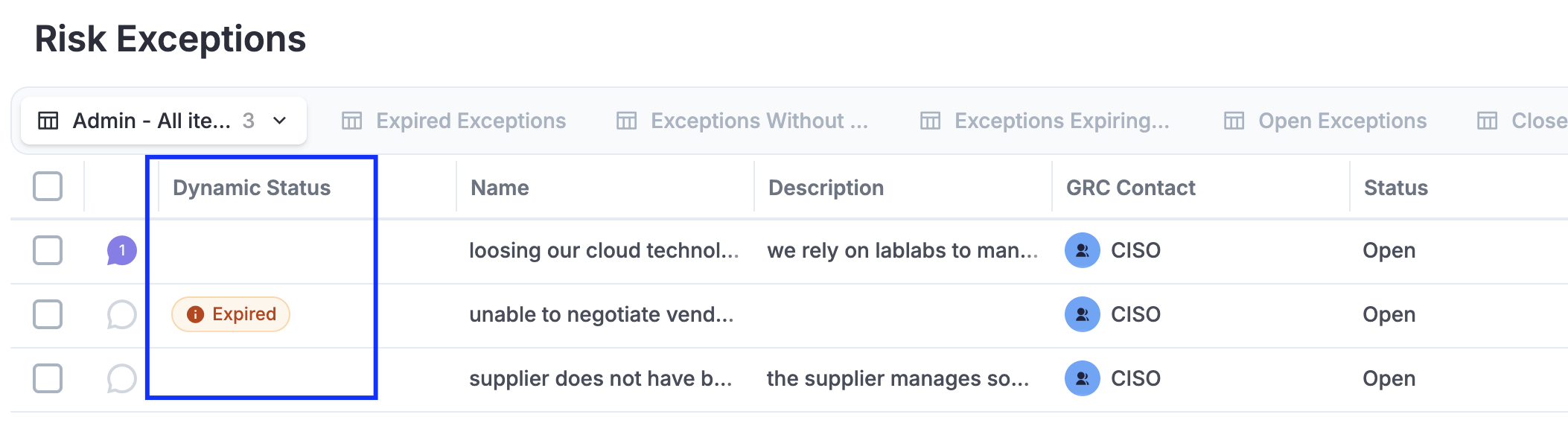
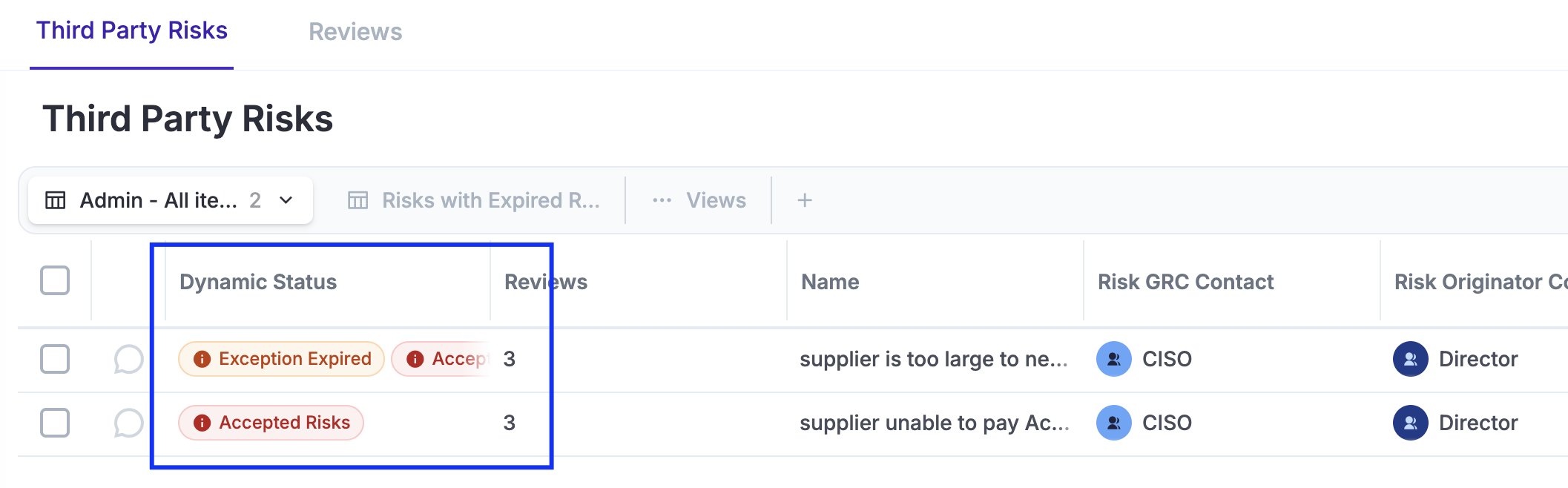
Related items will inherit expired statuses by default, allowing you to quickly see how Exceptions affect them.
Videos
Create, Renew, and Closing Exceptions
Still have questions?
Write to support@eramba.org or ask the community on the forum.