Introduction
Course Introduction
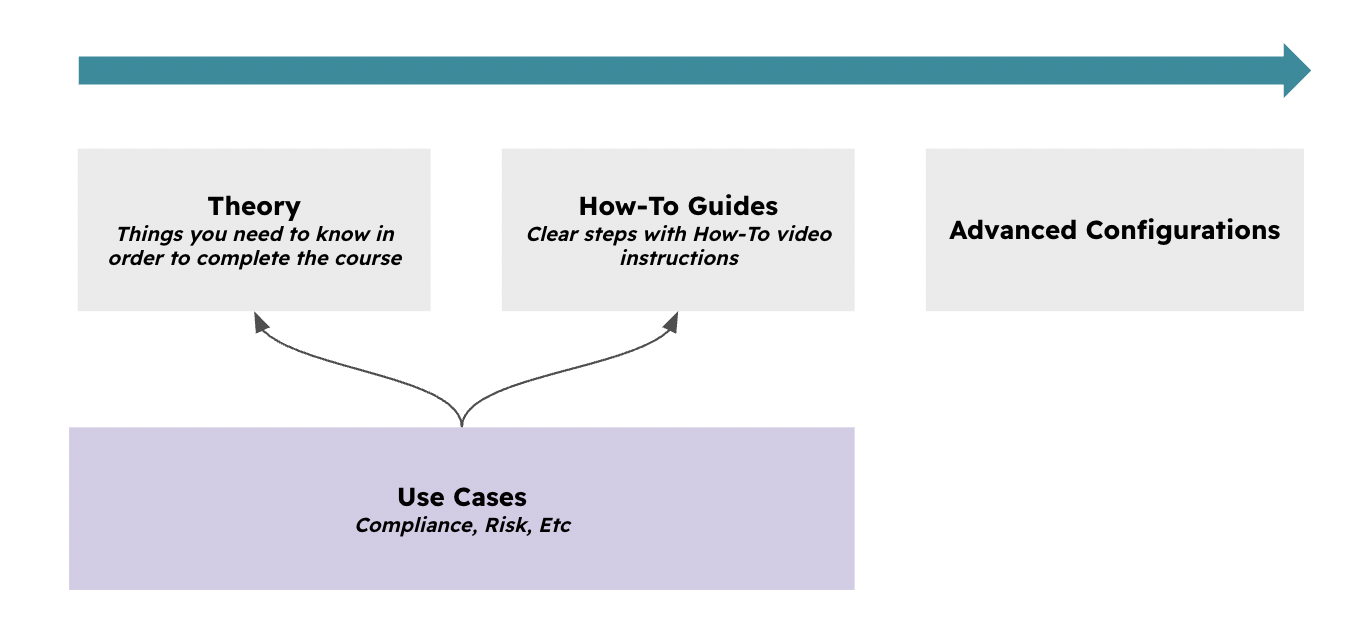
This course explains the theory, implementation and operation of the Project Management module and how it relates to other modules within eramba.
Primarly this course requires you to undertand "Theory". Eramba "Use Cases" require this module to be implemented, for that reason these guides make constant regerence to this course "Theory" and "Videos" Guides. Advanced Configurations explain you how to implement this module with more sophisticaeted configurations.
Typical Scenarios
This chapter explains how Projects are used in eramba:
-
Manage Projects and, optionally, tasks with typical attributes such as deadlines, owners, completion rate, and related details.
-
Link Projects to GRC objectives such as Risks, Controls, Compliance Requirements, and other related items.
Supported Versions
This feature runs on Community and Enteprise versions.
Theory
Module Relationshps
Projects (Security Operations / Projects) are meant to document reactive or proactive initiatives aimed at correcting issues or improving things in general. This is why they relate to multiple modules in eramba:
-
Internal Controls / Audits: Used when audits fail and a Project is created to improve things.
-
Policies: Used when a Policy needs improvement.
-
Risks: Used when there is no mitigation for a Risk and a Project is established to implement one.
-
Compliance: Used when there is no treatment in the organization for a Compliance Requirement and something needs to be put in place.
-
Data Privacy: Used when a data flow has no treatment and a Project is created to improve the situation.
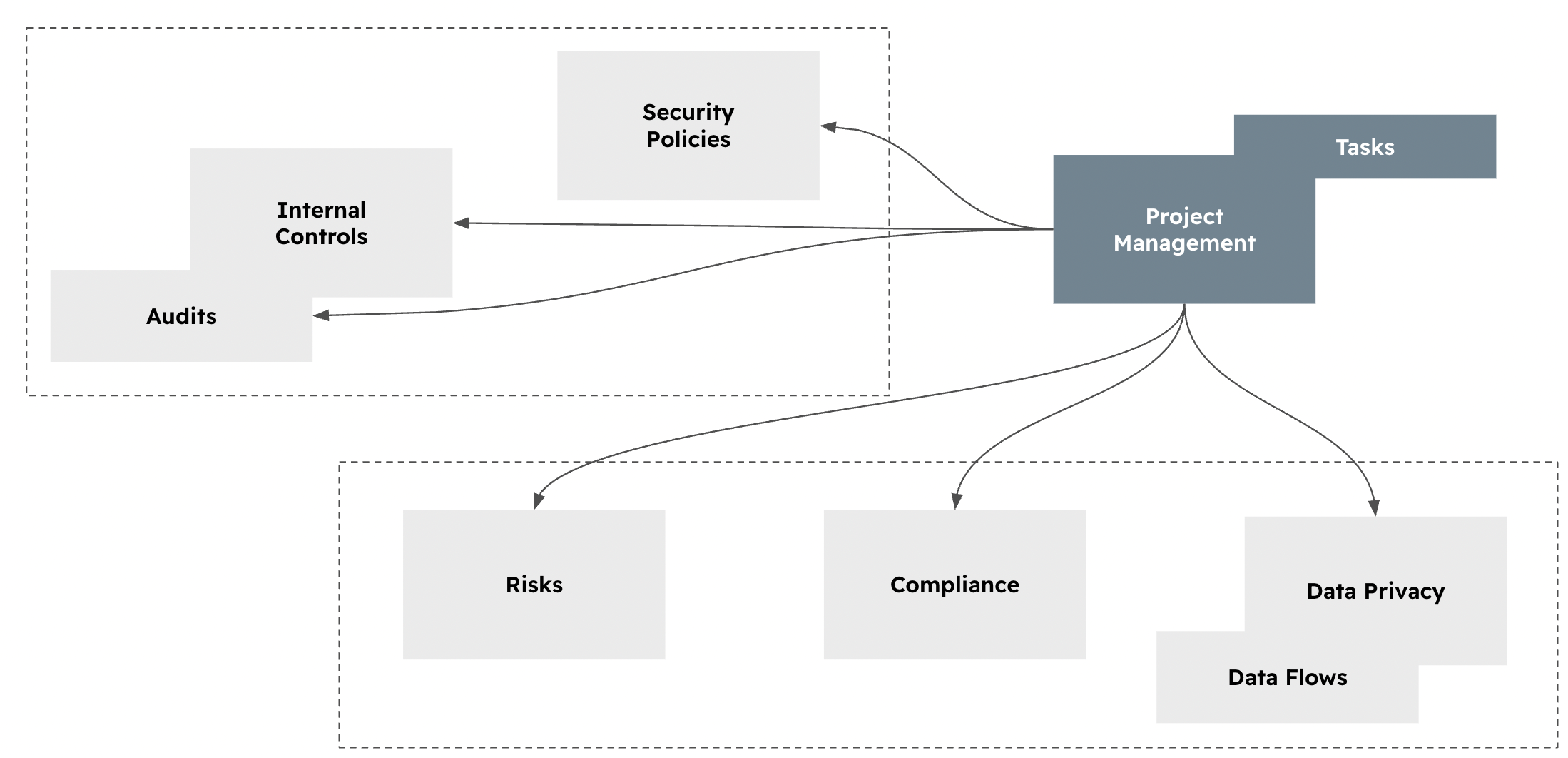
Projects can have one or more Tasks to describe the Project in more detail. This is optional and only recommended if close follow-up of multiple tasks and different owners is expected.
Projects & Tasks
When creating Projects, most fields are pretty obvious:
-
GRC Contact: The group from the GRC team that has an interest in documenting the Project.
-
Project Owner Contact: The group that is responsible for completing the Project.
-
Start / End Date: When the Project is supposed to start and end.
-
Status: Describes whether the Project is planned, confirmed, or completed.
The process by which you create or close a Project is:
-
Create the Project and add Tasks if you want.
-
Include a “Comment & Attachment” with the sign-off from the Project Owner, and log any updates to the Project and its Tasks, if applicable.
-
Once the Project is completed, close it.
Statuses
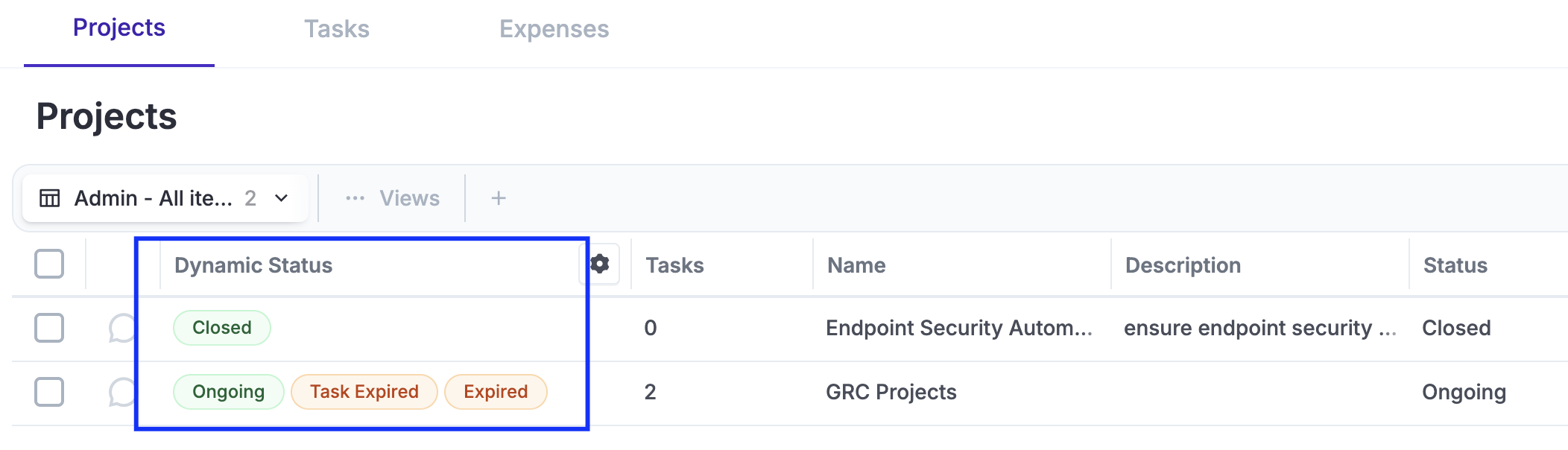
Default statuses will be applied to your Projects and Tasks and their related items. Your Projects will have three main statuses by default: “Closed,” “Ongoing”, "Expired" and “Task Expired”
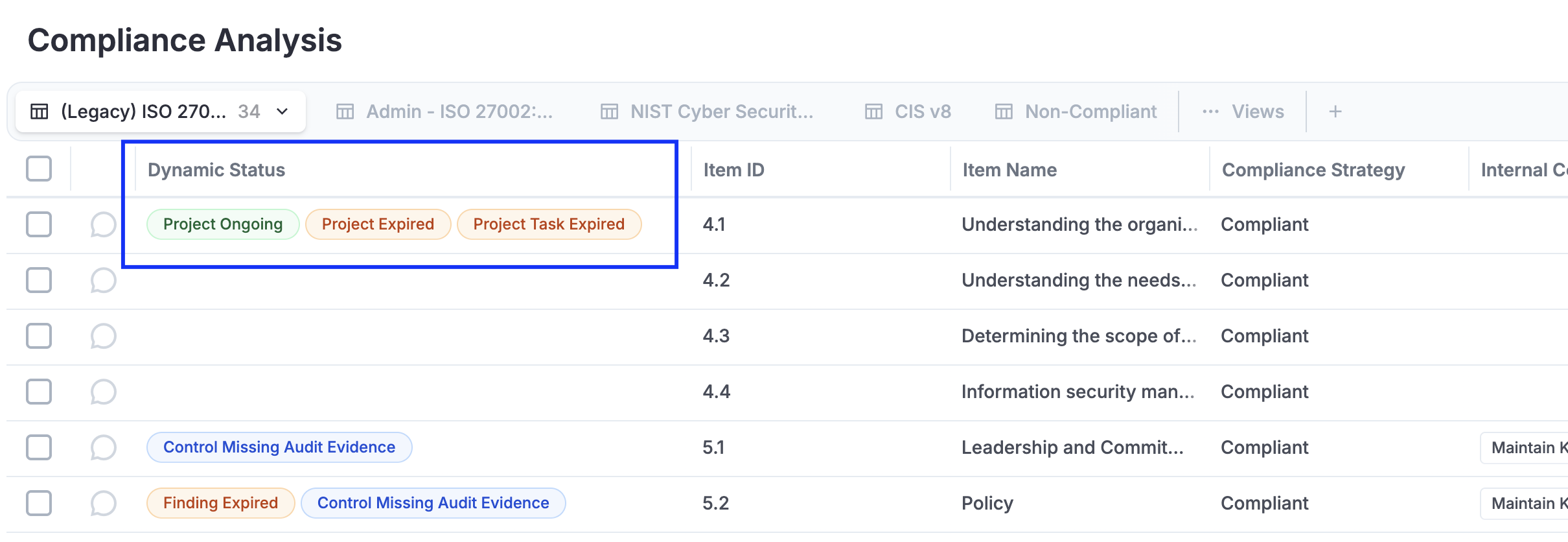
Related items will inherit expired statuses by default, allowing you to quickly see how Exceptions affect them.
Videos
Create, Update, and Closing Projects
Still have questions?
Write to support@eramba.org or ask the community on the forum.