We are working on a new Template feature, this is a place holder for the documentation that is about to come:
Course Introduction
This course explains how to use GRC templates to facilitate the implementation of eramba in your organization in the context of Compliance Management.
Typical Scenarios
This chapter explains ways in which Internal Controls are used in eramba:
-
Easily import a large number of Compliance Packages, such as ISO, NIST, etc.
-
Review suggested Controls and Policies that link to these requirements.
-
Facilitate the process of “Mappings.”
Supported Versions
GRC Templates works for Community and Enterprise customers (On-Premise and SaaS)
Incompatibility
This feature cannot be used when Compliance Management / Compliance Packages / Compliance Mappings are being used. To have suggestions and imports, there must be no Compliance Mappings created. You can bulk delete them.
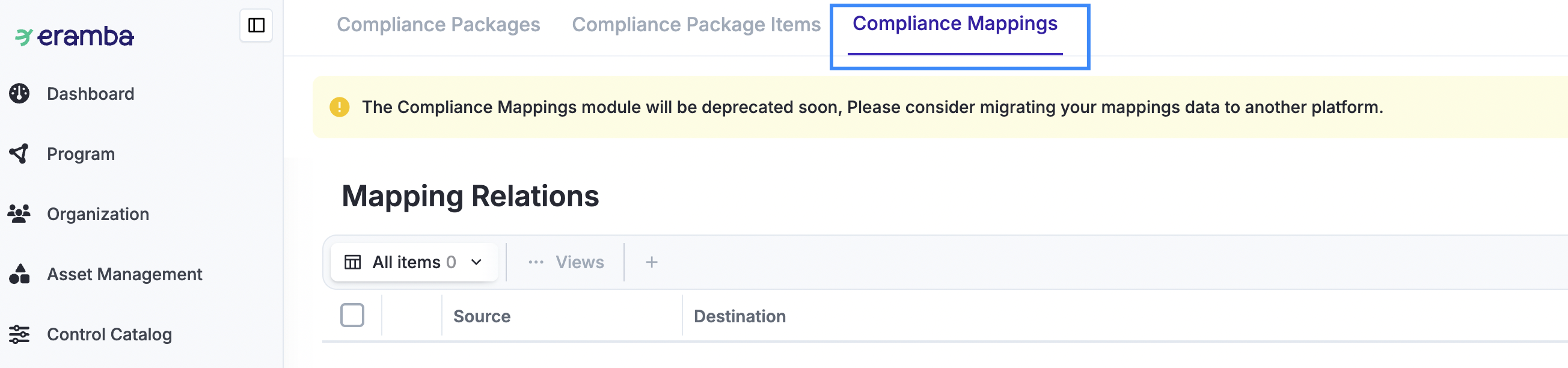
The Compliance Mapping feature is very limited and will be decommissioned. From release 3.31.0, new customers and those who have never used it will not have the feature available. Previous customers who have used the feature can continue using it, but not together with suggestions.
Theory
Server / Client
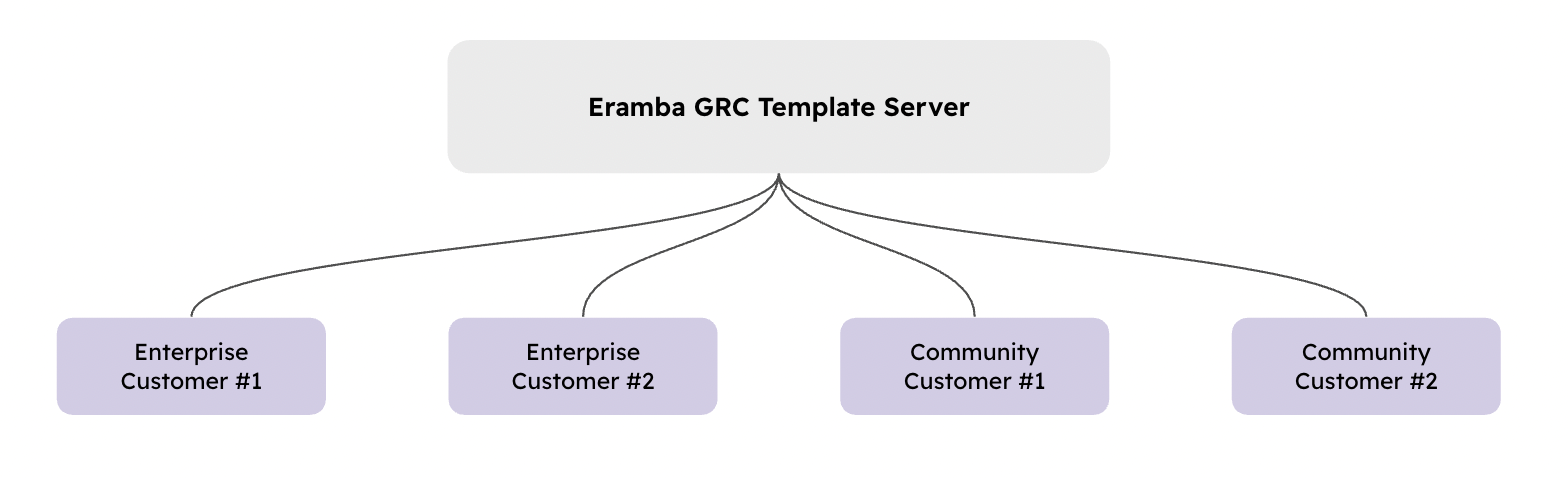
The GRC Template functionality works with a server-client architecture, where eramba manages the template server and clients, meaning eramba installations, receive templates every time they update their software. Templates are always “Minor” updates, which are completely safe and can therefore be implemented without risk.
Compliance Templates
This feature requires you to understand in depth how Compliance Management, Internal Controls and Policies work in eramba.
This feature offers two functionalities to users, "Templates" for Internal Controls, Policies, and Compliance Packages, such as ISO, NIST, etc and "Suggestions" on how these items can be related to one another. For example, for ISO 27001 requirement 5.1 we recommed the template "Information Security Policy", "Roles and Responsabilities" and the Internal Control "Review ISMS Documentation".
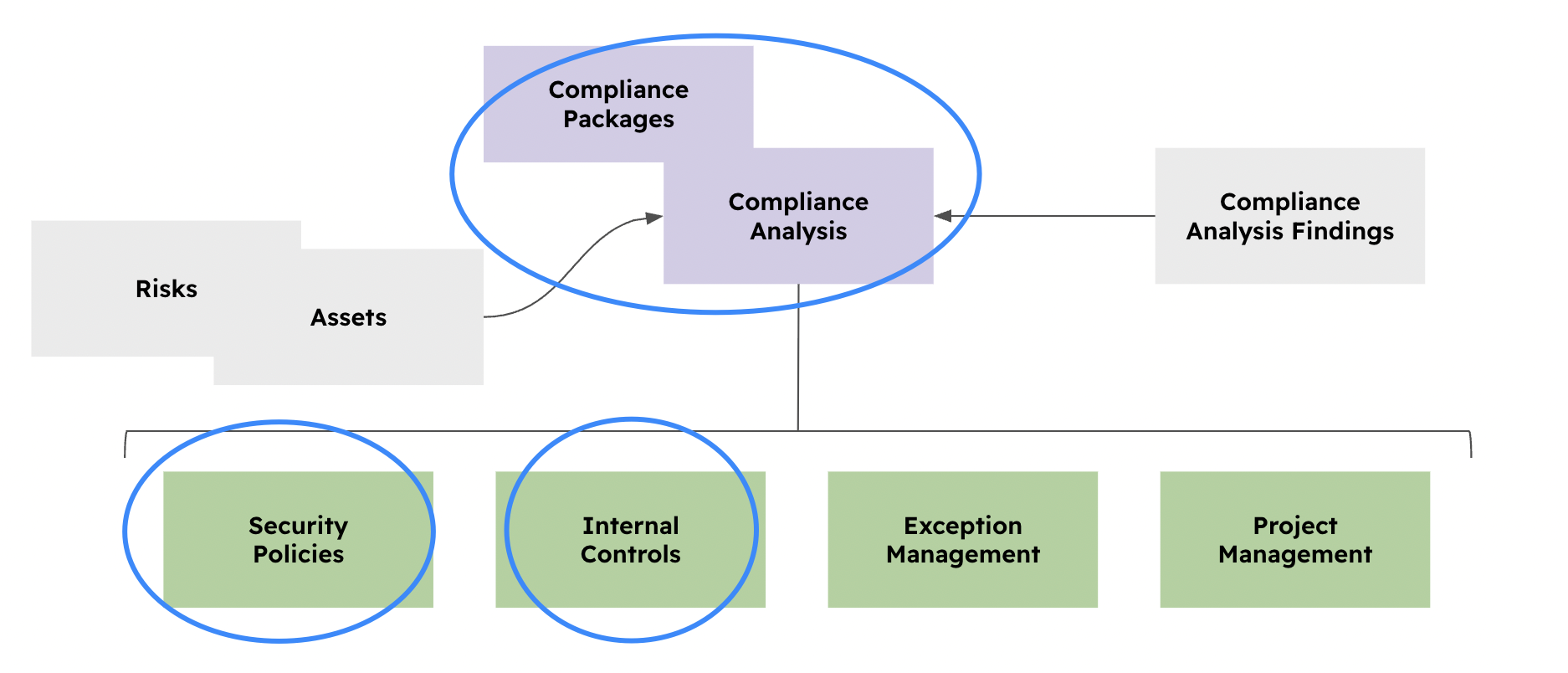
The diagram above shows the typical compliance module relationships in circled on blue the modules for which we have included templates.
The process by which users can access this functionality is:
-
Import “Template” Compliance Packages from Compliance Management / Compliance Packages.
-
Access Compliance Management / Compliance Analysis and simply click on “Suggestions” to import “Template” Internal Controls and Policies.
-
Adjust these templates so they meet your organization’s standards
-
Run MCP prompts or Online Assessments to:
-
Help you interview teams in your company to adjust these templates (Step 3)
-
Validate how these adjusted templates meet the suggested Compliance Requirements.
-
Help you interview teams in your company to define “Testing” methodologies for your Internal Controls.
-
Importing Packages
TBD
Adding Suggestions
TBD
Adjusting Templates
TBD
Optional Steps
TBD
Template Syncronization
The GRC Template is managed by eramba. It is their (eramba) job to create, edit, and retire content from the server. These actions are pushed to clients every time customers update their software, these updates do not go automatically to customers (in the case of SaaS customers updates are automatic). We communicate changes in our forum post and using eramba built in updates communication pannel.
-
Policy and Internal Control items updated by us that have previously been imported into the client system have an additional notification in the form of a dynamic status that will stay enabled for 14 days after the update is made. A special view exists in every module where templates are available and lists these items. A report notification can also be enabled to receive weekly updates.
-
Compliance Package changes are automatically pushed to customers. This means that rows in the package can be added, deleted, and edited. These types of changes are very rare and are communicated to customers in advance by email.
-
Compliance Analysis changes refer to our mapping suggestions. When we make changes to these mappings between compliance requirements, controls, and policies, these changes are pushed automatically.
-
If we add a suggestion, you will see the (+) item.
-
If we remove a suggestion for an item you have already imported and associated with the compliance requirement, the item will remain there. However, if you have not used the suggestion, it will be removed.
-
Disabling Templates
TBD
Still have questions?
Write to support@eramba.org or ask the community on the forum.