Introduction
Introduction to Continuity Plans
The business continuity plans module helps you define your continuity plans. For example, if a continuity plan is related to switching the SMTP provider (see screenshot below), you will define the plan title, who is involved in the plan, etc.

In addition, a plan must contain tasks to be executed. In Eramba, every continuity plan must contain tasks that describe who must do what, when, where and how. Following the example described before you can see in the screenshot below that this plan contains two tasks.

Once you define your continuity plans, their tasks and who is related to them you can also define how frequently you would like to audit these plans. As you can see in the example we are using this plan has gone through two audits, one of them completed and the other one is missing.

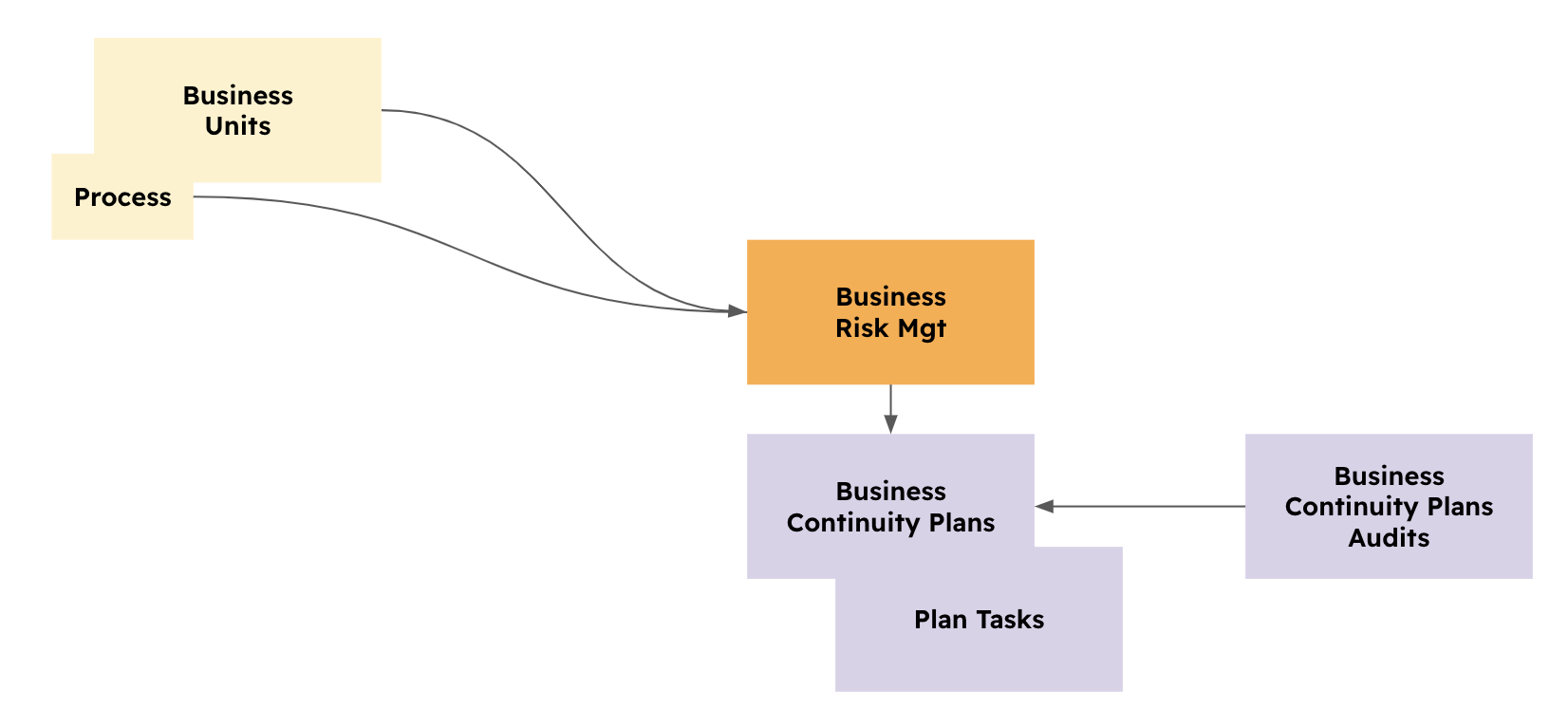
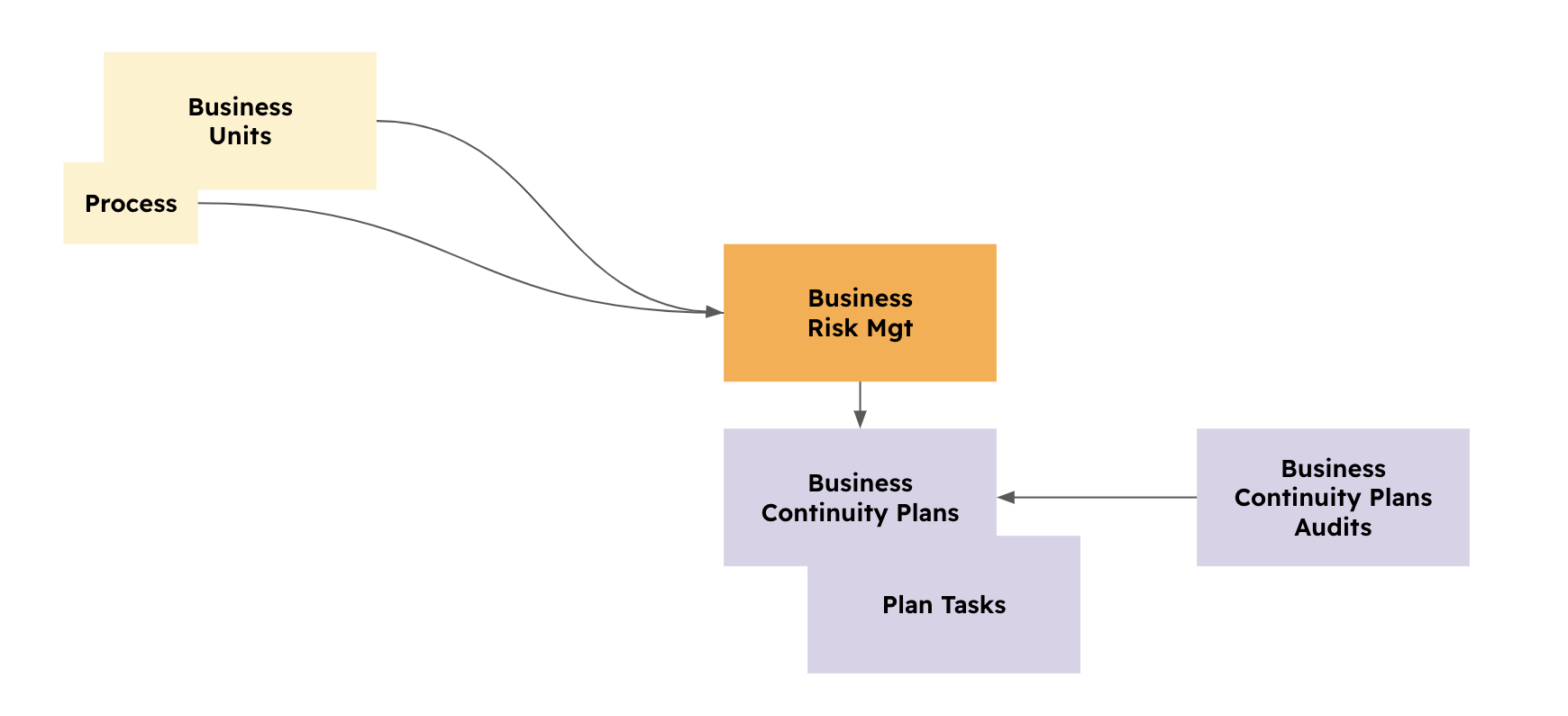
While this module can be used as a standalone module, is oftentimes best to initiate the implementation by performing a Risk exercise, documenting your business-related risks on the Business Risk Module (see Risk documentation for details) and associating Continuity Plans as mitigation to these Risks.
The diagram below shows all modules involved in this exercise and how they relate to one with another.
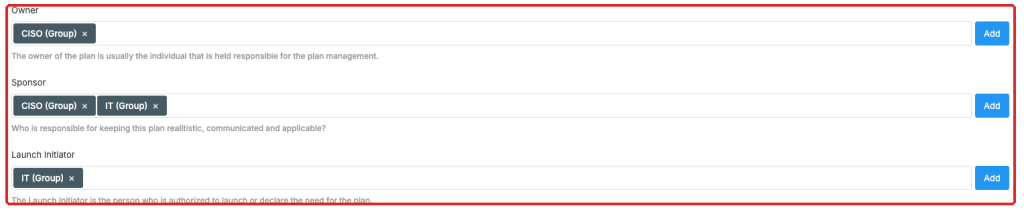
Accountability is extremely important and for that reason, every plan and task will have multiple roles associated to departments in your organisation. In the case of business plans you have three key roles:
- Owner: the GRC department that has an interest in this plan to be documented and tested
- Sponsor: whoever is affected by this plan
- Launch Responsible: the department in charge of deciding if the plan should be initiated or not
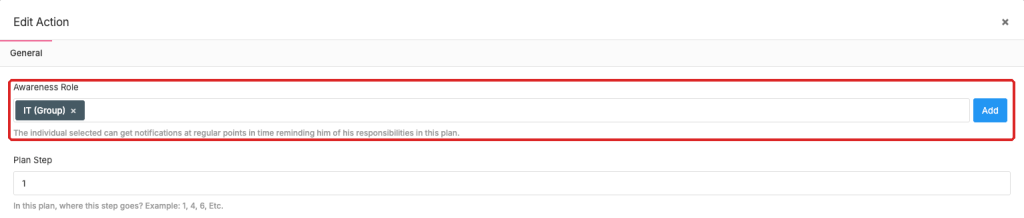
At the task level, you have a task-responsible department associated with every task.
These roles can be renamed and of course, you can add more roles as needed by simply using Customisation capabilities built into eramba.
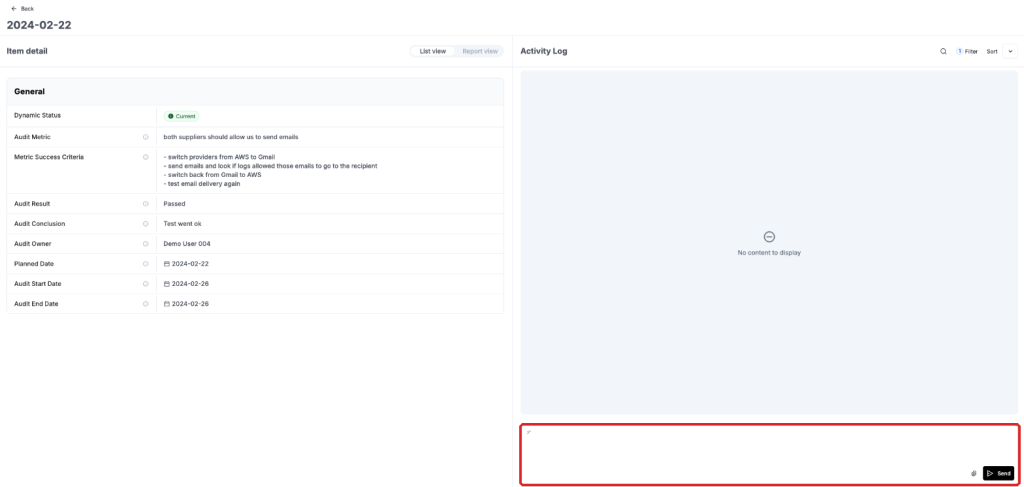
Continuity plans should be tested, for that reason on each plan you create you can optionally define how often they must be tested, how and by whom. Defining these audits dates will create audit records that will be used by auditors to test plans.
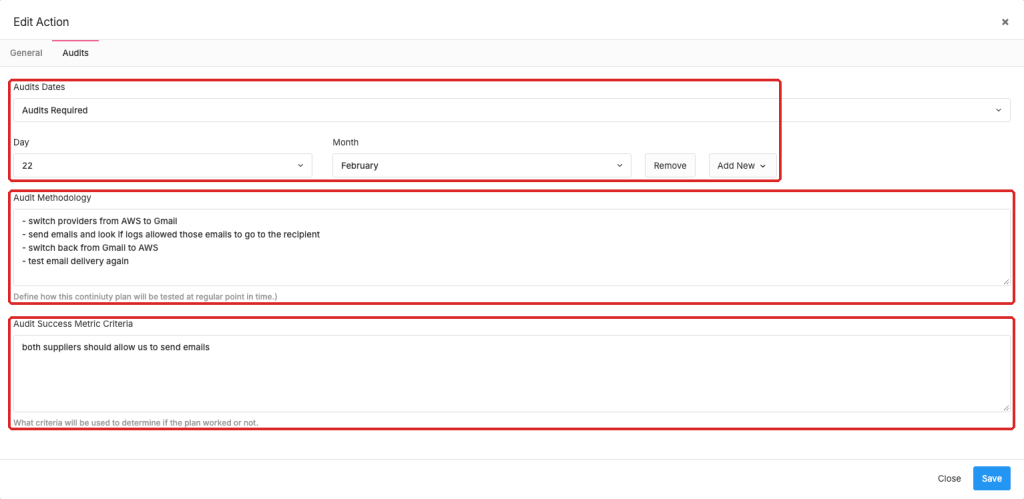
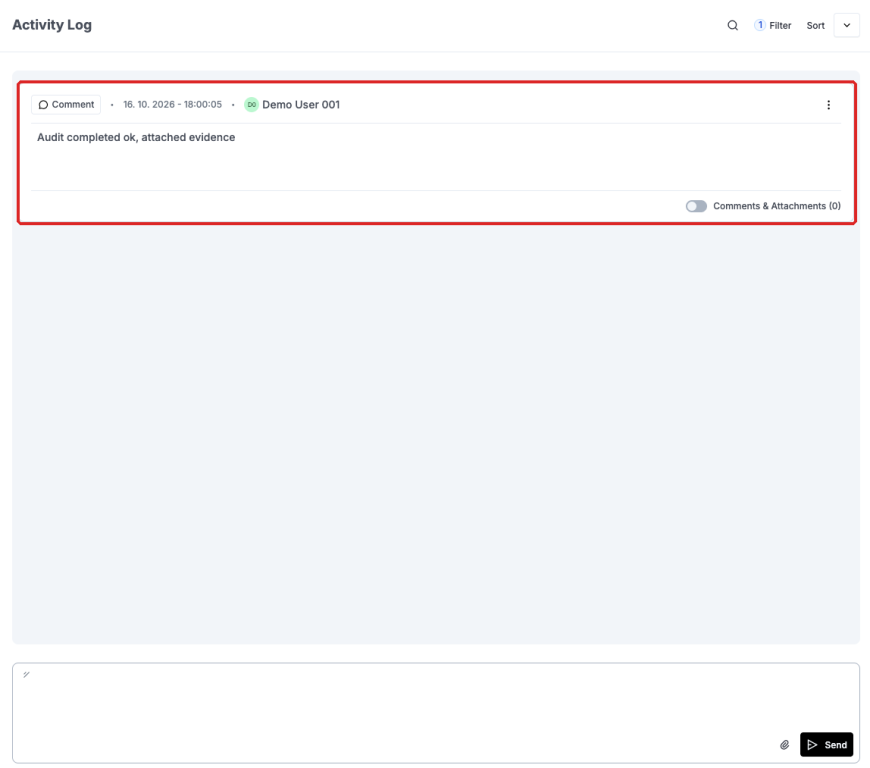
Your audit records include the details on how the plan should have bene tested, when it was tested, the result and all evidence and audit trails will be documented as comments and attachments on each audit record.
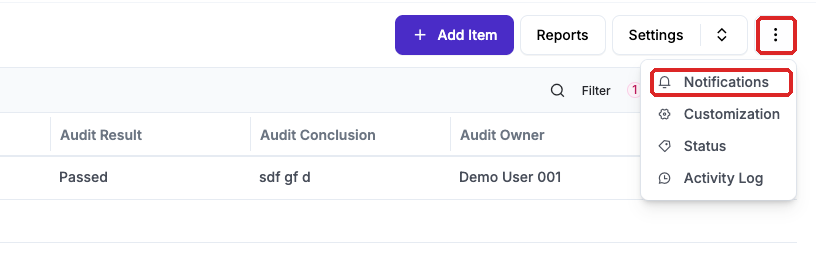
eramba can trigger a multitude of notifications based on common scenarios (such as a week before the audit, when the audit is closed, etc) or based on your custom scenarios (when a plan mitigates a risk classified as high). See the notification documentation for details on how to define them.
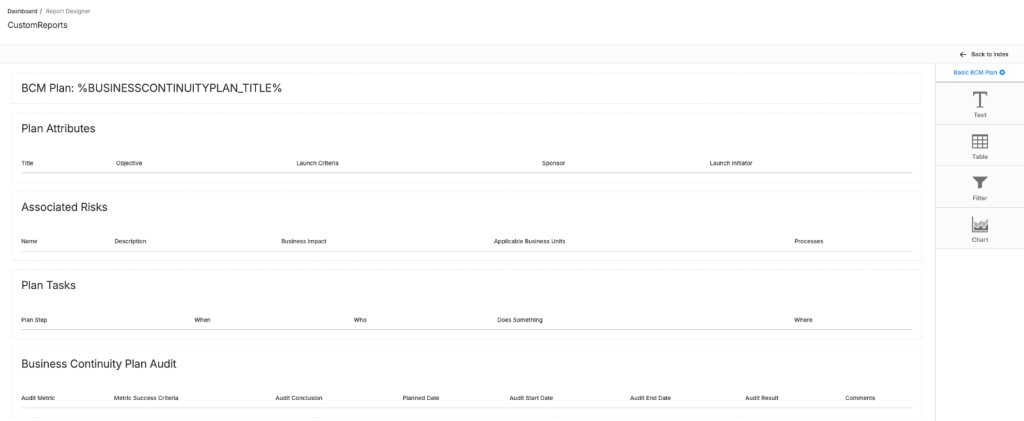
You can create custom reports using our report builder to describe plans in more graphical terms. Your reports can include tables, filters, charts, etc.
Continuity Plans Related Modules
The business continuity plan module can work as a standalone module where all you do is document plans and test them.
It can also link to Business Risks (see Risk module documentation) to provide a more holistic view of the Business Continuity Risks and their associated Continuity mitigating plans.
Theory
Identifying Continuity Plans
Introduction
In this episode, we provide ideas on how existing Continuity Plans in the organisation can be identified and documented in eramba. Is important to remark that this identification process focuses on existing continuity plans, not in plans that should exist.
Business Risk
Continuity Plans cost money and therefore there is no point in having endless plans for all possible Risk scenarios in the organisation, as discussed in the Risk documentation your teams should have identified Risks (in this case those focused on Continuity) and from those that prove a serious threat identify what existing continuity plans exist in the organisation.
That Risk exercise will provide you with the risk scenario and the department affected, this department will become the sponsor of the Continuity Plan. Is typically in their interest to have and pay for a Continuity Plan.
Requirement
Is not possible to document Continuity Plans in eramba unless the two (ideally three) conditions shown in the diagram below exist.

- Problem: a risk should be identified in the Business Risk module. This is optional.
- Team: a team that owns the plan and is able to execute it, this is hardly ever the GRC team
- Runs: the continuity plan must be in production, it might not work great, but it must be there.
Is very important to avoid creating Continuity Plans that have never been tested, discussed, etc.
Identification
Once a team and a plan have been identified (ideally a driving problem as well) your teams should interview the department (sometimes a plan might be executed by multiple departments) that runs the plan to discuss the key attributes of a BCP in eramba:
- Name
- Who will sponsor the plan
- When and who approves the plan to be launched if needed
With these basic components, you can now discuss with the sponsor and the launch initator role what the plan is:
- who (department)
- does what
- when
- where
- how
A plan in eramba requires one or more tasks composed of the attributes mentioned above. As the tasks are defined the plan takes shape. Once the tasks have been defined all stakeholders need to agree on:
- How often the tasks should be tested
- What is the testing methodology
- What is the success criteria
With all these elements you will be able to create a BCP in eramba.
Operation
Creating Continuity Plans
Introduction
Is very important that before creating a Continuity Plan you have discussed the plan with all relevant stakeholders and have followed a process that somehow resembles the one proposed in this course.
Roles
When creating a business continuity plan you have three key roles you must define, we strongly recommend you use groups (see Access Management course) rather than individual accounts.
- Owner: typically the GRC team that has an interest in this plan to be created and tested
- Sponsor: the department that is affected by this Plan
- Launch Initiator: the department that when the catastrophe hits will be responsible for authorizing the initiation of the plan
Audits
Your BCP may optionally include an audit regime you will set based on the stakeholder agreements at the identification phase. In this tab you need to define three parameters:
- The dates (these dates apply to every year) when you would like to test the plan
- How you would like to test, typically is by running the tasks on the plan
- What the success criteria will be to determine if the tasks have delivered the desired outcomes
Tasks
Once your plan has been created is time to the Task tab and create the plan tasks. You will associate each task you create to your BCM plans.

Audits and Maintenance Tasks
Introduction
This episode is only relevant if you have defined Audits or/and Maintenance tasks in your BCPs.
Testing BCPs systematically is challenging and expensive so if you believe your organisation is not ready yet it is best to avoid them.
Audit Records Details
It is important to understand the fields a standard audit record has and what they mean before starting to work with them. Under the "Audit" tab you will find all your audits. The fields on a standard Audit are:
- Audit Methodology: this is inherited from whatever was defined on the parent BCP but can be modified if you want.
- Audit Success Criteria: this is inherited from whatever was defined on the parent BCP, the same as above
- Audit Result: Fail or Passed
- Conclusion: why the control has passed or failed
- Planned Date: the date you planned for the testing to begin. This is inherited from the parent BCP
- Start Date: the date when testing
- End Date: when you finished testing actually began
- Evidence: evidence for the BCP test can be uploaded. This will end up as "Comments & Attachments" of the audit records.
The following fields will have to be completed on every Audit you perform. For those fields that are inherited from the parent BCP, remember that changes done on the parent control will be reflected on all incomplete, future audit records.
Default Audits
After saving a BCP, if you defined audits and/or maintenance tasks, eramba will create audit records for the current and next year based on the dates you defined.
In our example, we created an BCP with the following Audit settings:
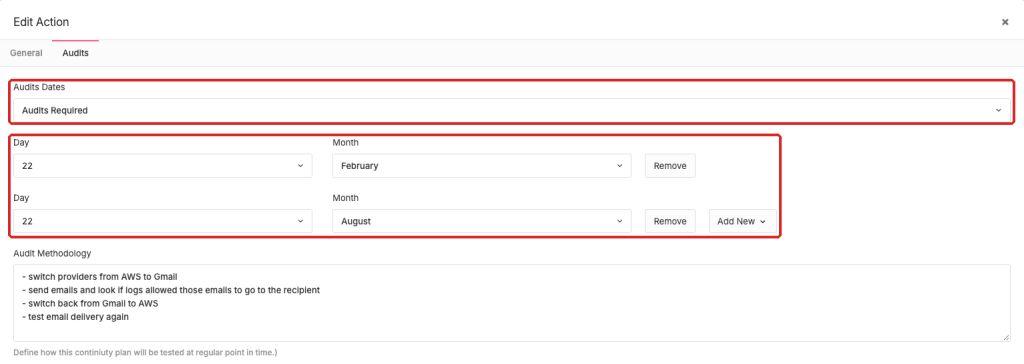
When we save the control we get the following:
- 4 audit records (2 for the current year and another 2 for next year) and
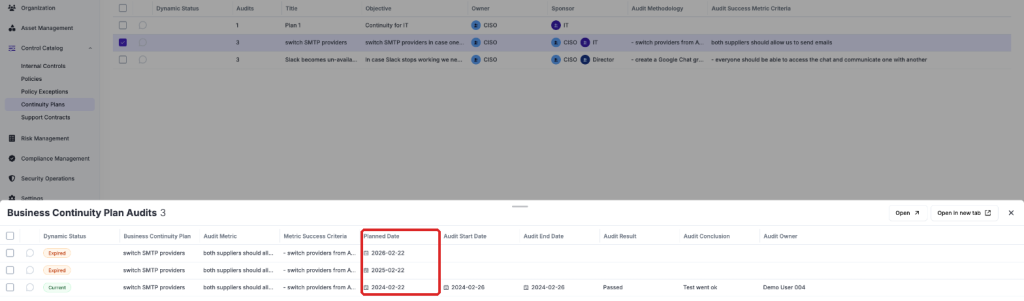
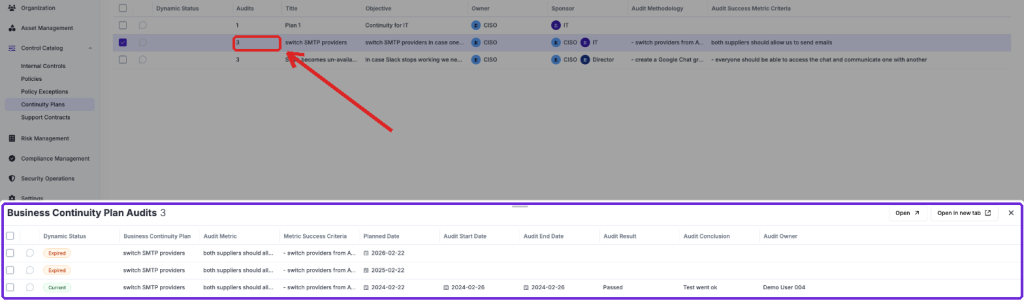
Clicking the dropdown icon next to the audit count (shown as 4 in the example image above) will display the Audit tab with a filter that will show the related audit records.
Comments & Attachments
Each audit/maintenance record has the option to include Comments and Attachments.
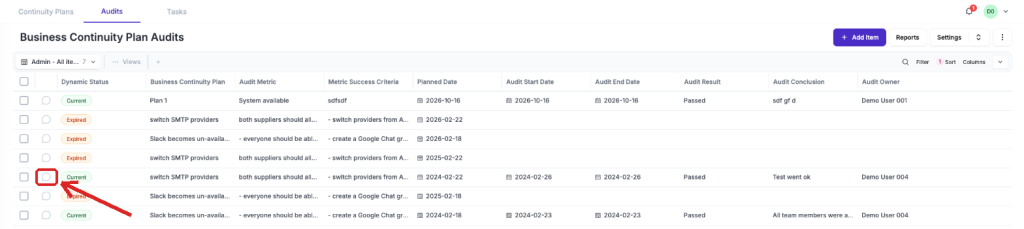
When you or the person giving you feedback click there they can write whatever they want, for example, "We are collecting the audit evidence, we will let you know". You can then click there as well and reply. In the end, a trail of conversations will be logged where "who", "wrote what" and "when" will be evident.
After all discussions take place you can then complete the audit/maintenance. Is of course important to remind you that accessing those menus is completely controlled by Access Lists, so you can remove the "Remove" function, etc to those that provide you with feedback.
When uploading evidence the files attached appear in the "Comments & Attachments" option for that audit. If you need to upload further evidence you can go directly to the "Comments & Attachments" option instead of editing the Audit.
Adding Audit Records
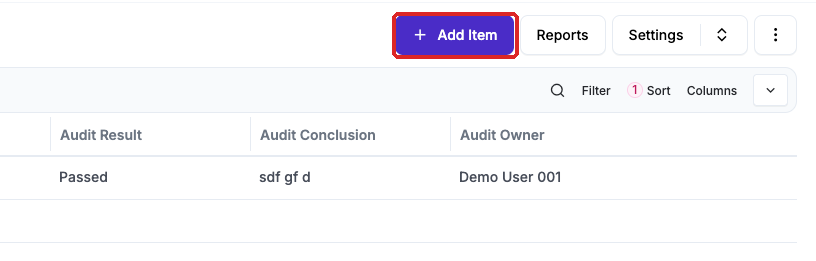
If you want to add an Audit record to an BCP, outside the ones that the system created based on the dates you provided to the BCP, then you need to go to the Audit tab and click on Actions / Add or use CSV templates (see CSV Imports documentation for details)
Dealing with Failed Audits
If you tag an audit as failed the record will be tagged as such until the next audit record (based on its planned date) will be tested. If you want to re-test a failed audit the best way to record this is to create an additional audit record (see above).
Changing Audit Dates
If you decide to change your audit settings on the BCP because you want to test less frequently, more frequently or on different dates simply edit the BCP and change the dates and save the control.
- If you add new dates (because you changed existing dates to other days or you added new dates) eramba will create audit records based on those dates.
- If you removed dates eramba will not remove anything existing audit records
- If you update the testing methodology, success criteria, auditor or evidence owner fields then eramba will update all incomplete audit records that have a planned date in the future.
Still have questions?
Write to support@eramba.org or ask the community on the forum.